1MachineTool now runs on Intel Macs and Windows on ARM
1.2.0 adds a download for Intel Macs, with every module except VMs, and a native build for Windows 11 on ARM64 PCs. One Pro license covers any mix.
· 5 min read · 1MachineTool Team
You open the download page on a 2019 MacBook Pro, and the only Mac build says Apple silicon. Or you're on a new ARM laptop running Windows 11, and the Windows installer is x64 only. Either way, the app is not for you yet, and the computers that most need a tidy-up are often the older ones.
What changed
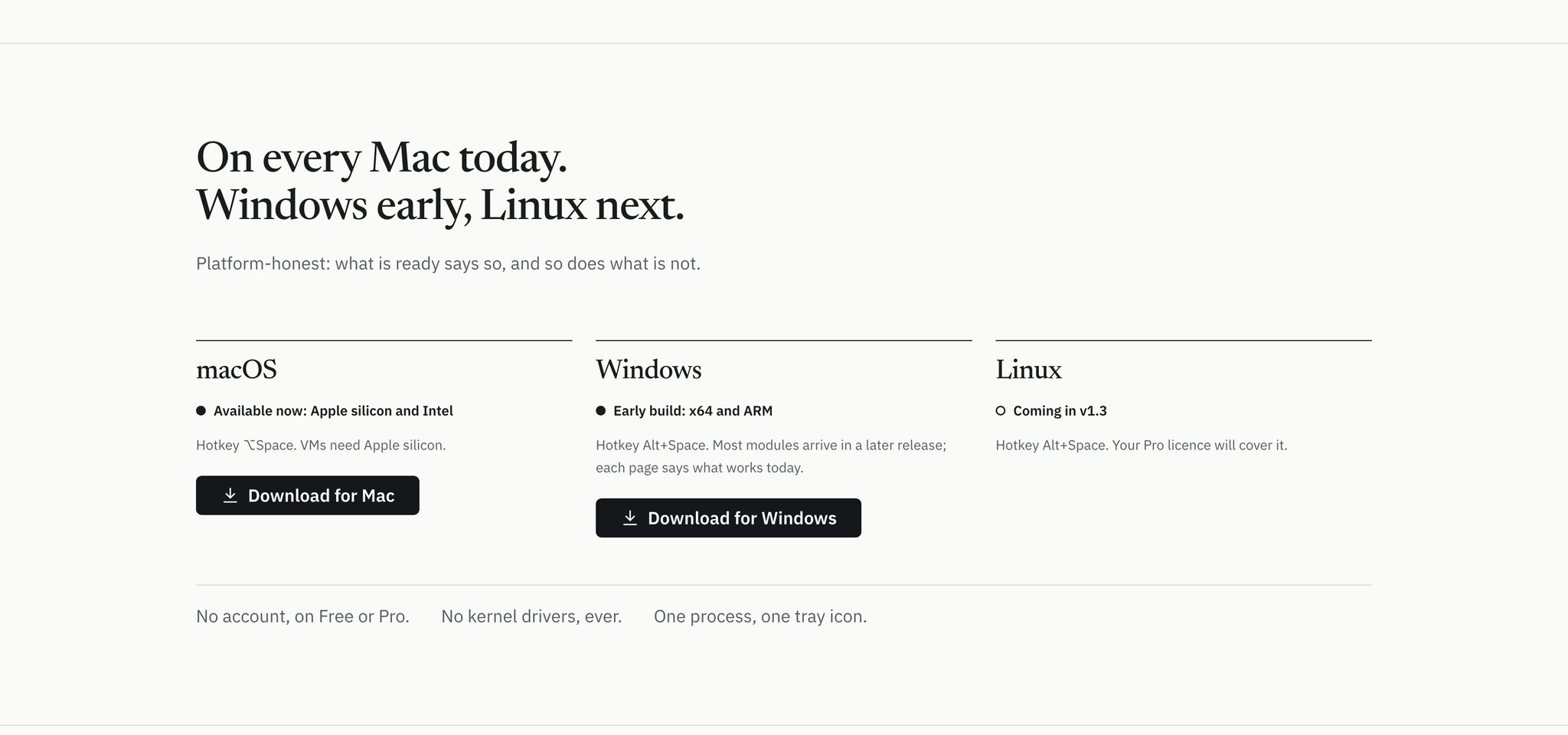
1MachineTool 1.2.0 adds two builds. There is now a separate download for Macs with an Intel processor, and a setup .exe for Windows 11 on ARM64 PCs. With them, 1MachineTool comes in four builds: Mac on Apple silicon or Intel, and Windows on x64 or ARM.
One Pro license covers any mix of them, counted by computer.
How it works in practice
On an Intel Mac
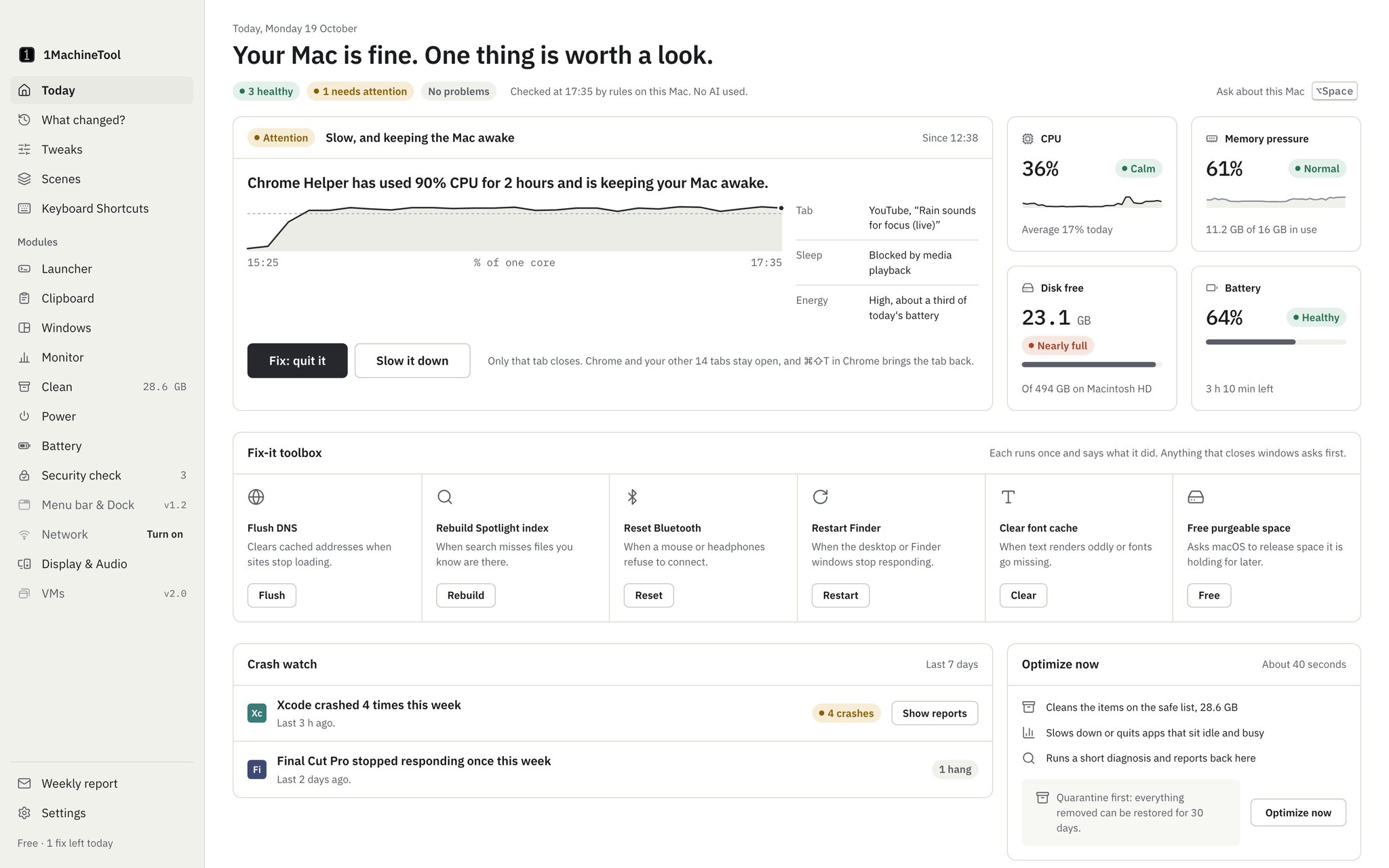
The Intel version is built, signed and notarized the same way as the Apple silicon one, so it opens without warnings and updates itself from Settings, General. Every module works, from the diagnosis and Clean to Monitor, the clipboard and window snapping, with one exception.
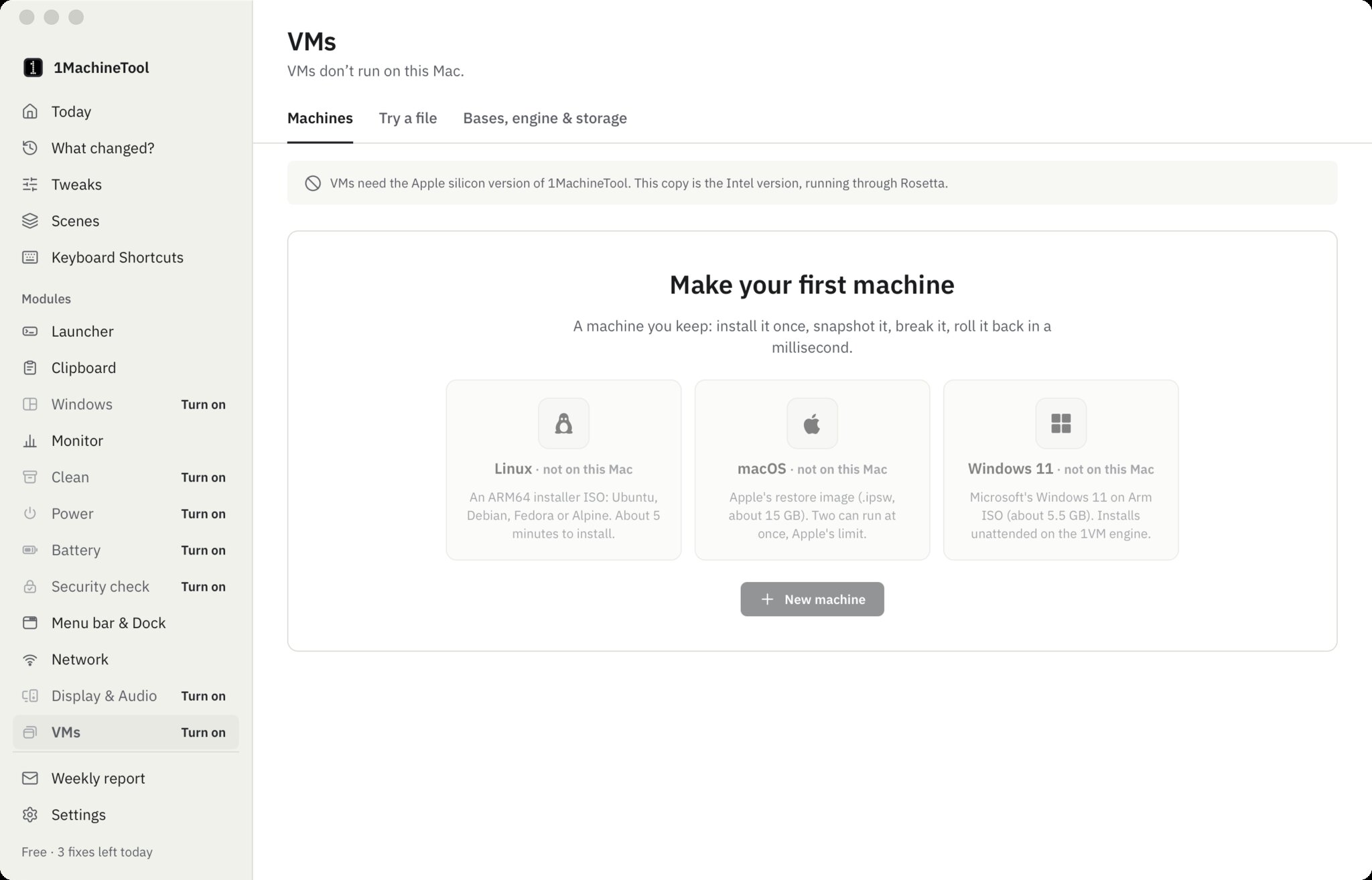
That exception is VMs. 1MachineTool's virtual machines need Apple silicon, so the Intel version doesn't include the VM engine at all. The VMs page says so plainly ("VMs don't run on this Mac"), and the New machine button is turned off rather than failing later.
What you get on an Intel Mac
- The diagnosis: all seven questions, from "why is my Mac slow" to "what woke it", with fixes you can undo.
- Clean: the space map, safe cleanup, uninstall with leftovers and the privacy sweep, with every removal waiting 30 days in quarantine.
- Monitor: a month of readings, the apps behind them, background jobs and drive health, plus the menu bar readout.
- Clipboard, Windows, Power and Battery: clipboard history, snapping and saved layouts, keep-awake and schedules, battery health and wear, and the charge limit through the optional helper.
- Security check, Network, Display & Audio, Menu bar, Tweaks and Scenes, the same as on Apple silicon.
- The
1machineCLI and1machine mcp, so your terminal and your AI agent reach the same core.
Free and Pro work the same way too: the same daily limits on Free, and the same license.
If you downloaded the wrong Mac version
An Apple silicon Mac can run the Intel version through Rosetta, and everything apart from VMs will work. In that case the VMs page tells you so: it says this copy is the Intel version and asks you to get the Apple silicon version, which includes the VM engine. Install that one over it, and your settings and history stay where they are.
On Windows on ARM
The Windows ARM64 build is native: the app and the 1machine command-line tool both run on ARM without emulation. It is otherwise the same early Windows build that has existed for x64 since 1.0.1: it installs, updates itself and brings the CLI with it, while most modules still rely on macOS and their pages say what isn't available on Windows yet, instead of pretending.
The installer is not code-signed for Windows yet, so SmartScreen may stop it the first time. Choose More info, then Run anyway. After that, updates arrive and install like they do on a Mac, with a signature the app checks before installing.
Which download is yours
| Your computer | How to tell | Download |
|---|---|---|
| Mac with Apple silicon | Apple menu, About This Mac shows a Chip such as Apple M2 | …_aarch64.dmg |
| Mac with Intel | About This Mac shows a Processor such as Intel Core i7 | …_x64.dmg |
| Windows PC, x64 | Settings, System, About shows an x64-based processor | …_x64-setup.exe or .msi |
| Windows PC, ARM | Settings, System, About shows an ARM-based processor | …_arm64-setup.exe |
All four are on the latest release. The Download buttons on 1machinetool.com open the same page.
Before vs after
| Before 1.2.0 | From 1.2.0 | |
|---|---|---|
| Intel Mac | No build | Every module except VMs, signed and notarized |
| Windows on ARM | x64 build only | A native ARM64 build |
| Intel copy on Apple silicon | Not applicable | Works, and the VMs page points to the Apple silicon version |
| One Pro license | Mac on Apple silicon and Windows x64 | Any of the four builds, counted by computer |
Who benefits most
People keeping an Intel Mac going. Older Macs are the ones with full disks, worn batteries and fans that never settle, which is exactly what the diagnosis, Clean and Monitor are for.
People with a Mac and an ARM PC. The same license covers both, and more modules are planned for the Windows build in later releases.
Anyone choosing the three-computer tier. A family Intel iMac, a work laptop and a Windows tablet can now all count toward it.
Try it
Download the build for your computer from 1machinetool.com. If you already have 1MachineTool, update from Settings, General: the updater picks the build that matches your machine.