Try every 1MachineTool module free, then buy Pro once
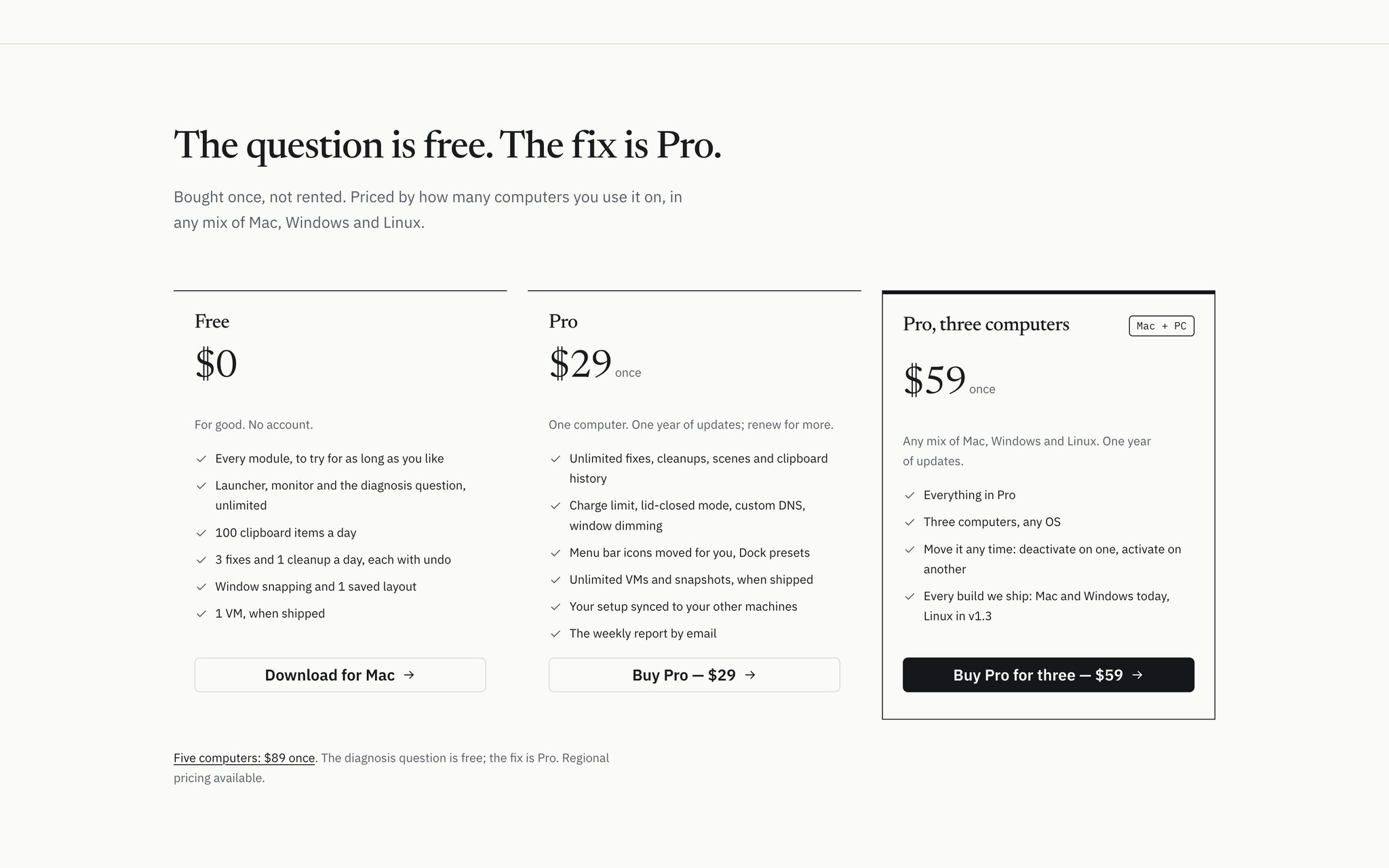
Free now lets you use every module within daily limits that reset each morning, and Pro is on sale: $29, $59 or $89 once for one, three or five computers.
· 5 min read · 1MachineTool Team
Most utilities make you decide before you know. A 14-day trial starts the moment you install, and it runs out on a week you were busy. A free tier locks the one feature you came for, so you never find out whether the rest is any good. Or the price is a monthly subscription, and you are paying for a battery limiter in year three the same as in month one.
A tool that lives on your Mac every day deserves a different deal: use all of it for as long as you like, and pay once when it has earned it.
What changed
1MachineTool 1.1.0 does two things. Free now lets you try every module, within daily limits that start again each morning. And Pro is on sale: bought once, $29 for one computer, $59 for three or $89 for five, with a year of updates. The version you have keeps working after that year.
Nothing expires. If Free is enough for you, it stays free.
How it works in practice
What you get on Free
The parts you reach for many times a day are never counted: the launcher, the monitor, window snapping, and the diagnosis question with every finding it turns up. Counting a hotkey would only make you hesitate before pressing it.
What is counted is the occasional change to your machine, and the limits reset at local midnight:
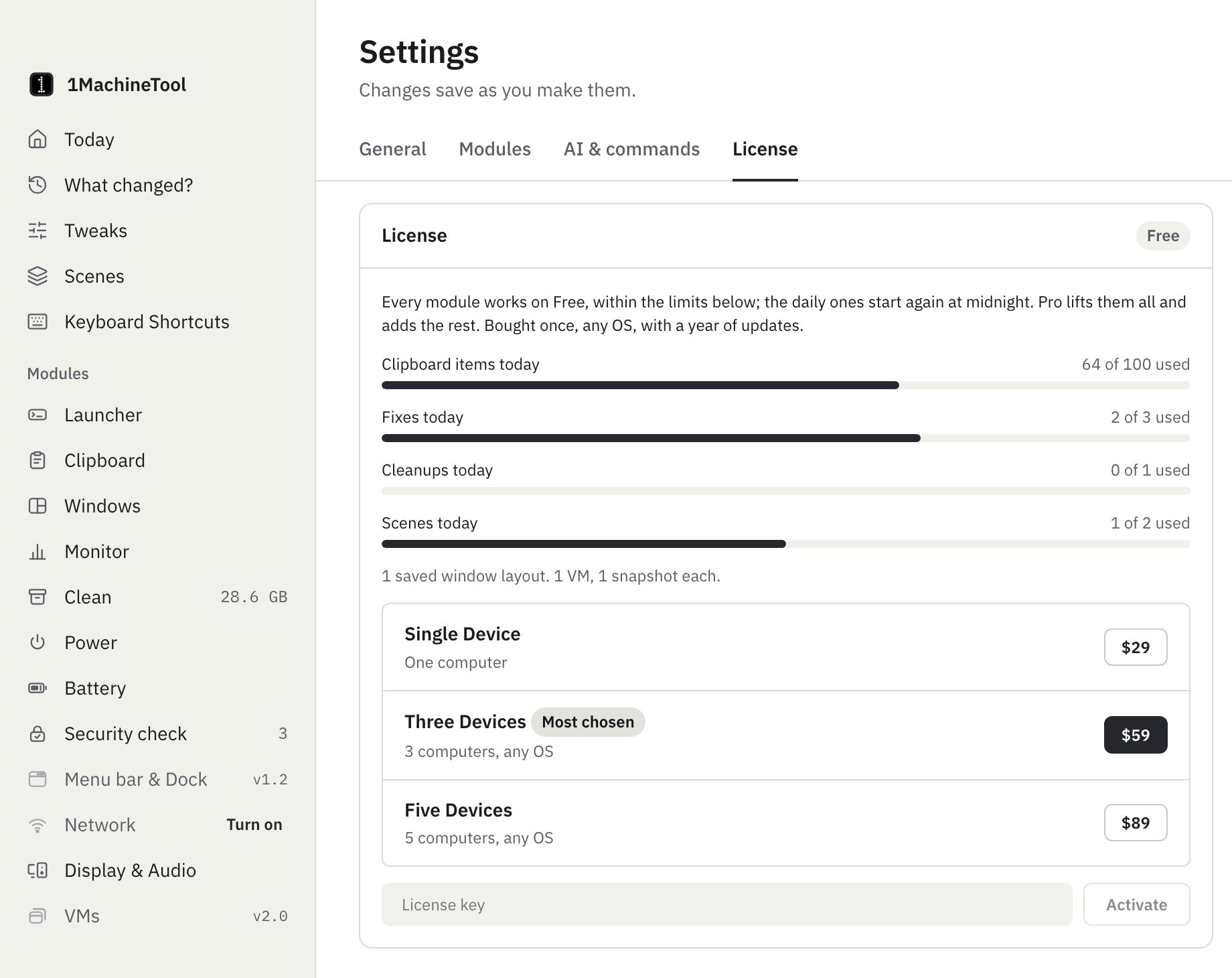
- 100 new clipboard items a day. Copying the same thing again doesn't count.
- 3 fixes a day, from a diagnosis, the fix-it toolbox or the security check.
- 1 cleanup a day. Optimize now counts as that day's cleanup.
- 2 scene runs a day.
- 1 saved window layout, and 1 VM with 1 snapshot.
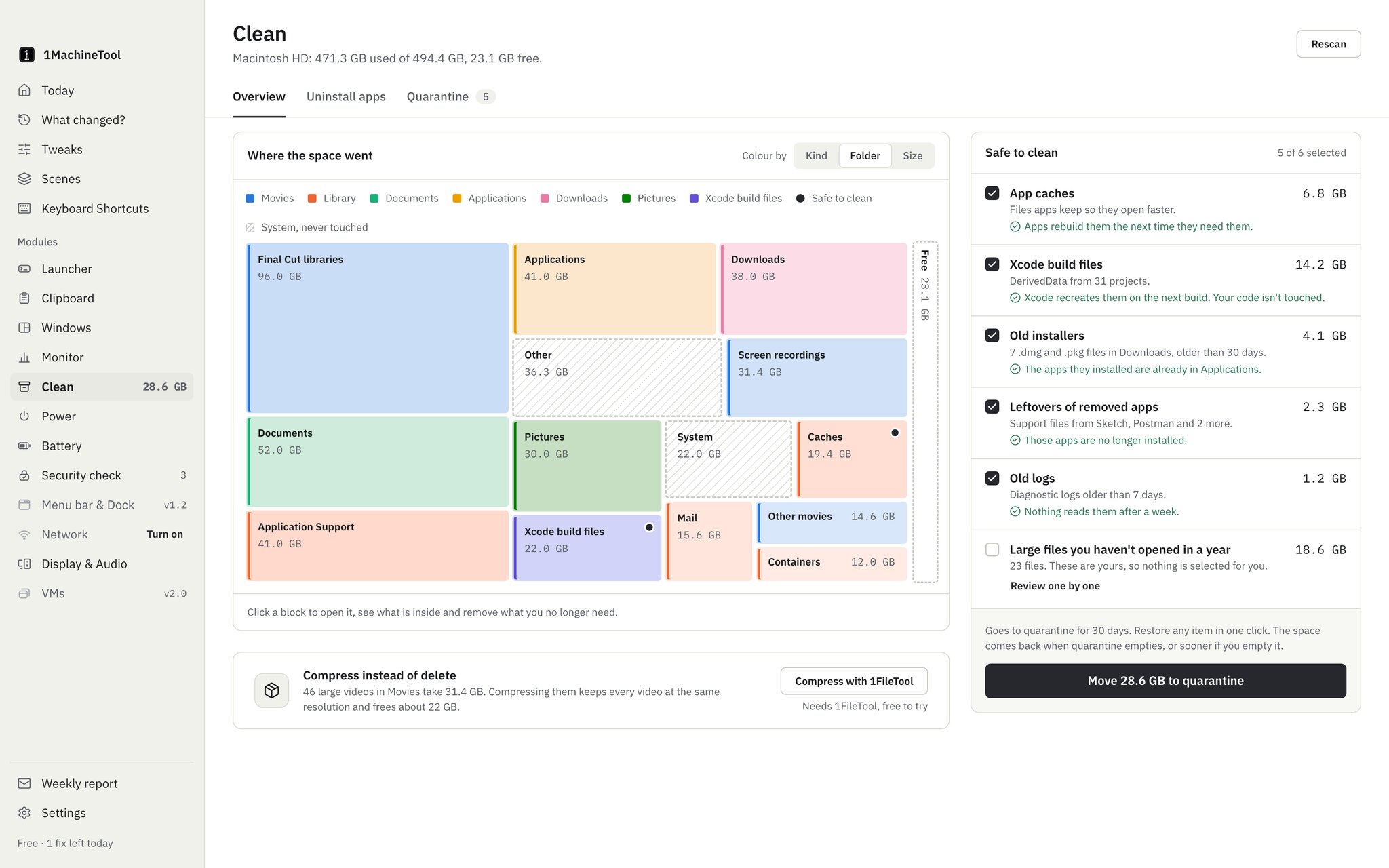
Undo, restoring from quarantine and opening a Settings pane never count, and neither does anything the app does on its own. Settings, License shows a meter for each limit, and the sidebar tells you how many fixes you have left today.
When you reach a limit
Nothing breaks. When today's 100 clipboard items are used, copy and paste keep working as normal; new copies just aren't saved to the history until tomorrow, and the Clipboard page says so. When the day's fixes are used, the finding still shows, with its evidence and what the fix would do. The message tells you when the allowance comes back, or that Pro removes the limit.
What Pro adds
Pro lifts every limit above and adds the features that only make sense with no allowance at all:
- the battery charge limit, lid-closed mode and Low Power Mode on a schedule
- moving menu bar icons for you, and Dock presets
- custom DNS, proximity lock and dimming background windows
- golden VM images
- your setup synced to your other machines, and the weekly report by email
Sync works through a folder you already sync, such as iCloud Drive or Dropbox, so there is no StoicSoft account and no subscription behind it. That is why it could move into Pro instead of being sold separately.
Buying and moving your license
Settings, License lists the three tiers with their prices, and each opens the StoicSoft store's checkout. Paste the license key you receive and Pro is on. Each tier covers a number of computers in any mix of Mac and Windows, and Deactivate frees a computer when you replace it.
The key is checked against a signed entitlement that the app verifies on your Mac, so Pro keeps working when you are offline. The app re-checks it once a day when it can, which is how a refund or a renewal reaches it without you doing anything.
After the year of updates
Pro includes every update released in the twelve months after you buy it. When that year ends, nothing switches off: the version you have keeps all of Pro, for good. The app still checks for updates, and when a newer version comes out after your year, Settings, General tells you so and offers a renewal instead of an install button. It never downloads a version your license wouldn't unlock, so you can't update yourself out of Pro by accident.
Free is different on purpose: free users always get every update. Keeping the free version current costs nothing and means the app you are trying is the app as it is today.
Before vs after
| A typical trial | 1MachineTool Free | |
|---|---|---|
| How long you can try it | 14 days, whether you used it or not | As long as you like |
| What you can try | Usually a cut-down app | Every module, within daily limits |
| What happens at the end | The app stops working | Nothing: the limits start again tomorrow |
| What Pro costs | Often a monthly subscription | $29, $59 or $89 once, with a year of updates |
| After the year of updates | Pay again or lose the app | The version you have keeps working |
Who benefits most
Anyone who wants to be sure first. Use the diagnosis for a few weeks, run a cleanup a day, and buy Pro only if the fixes you are reaching for are worth it.
People with a Mac and a PC. The three-computer tier covers any mix, and the same key moves to a new machine when you deactivate the old one.
People who are tired of subscriptions. One payment covers the app for good, and the year of updates is the only thing that ends.
Try it
Update from Settings, General, or download 1MachineTool from 1machinetool.com. Free is already on. When you want more, Settings, License has the three tiers, and the key you paste works offline from the moment it is activated.