VMs · Safety and hardware
Virtual machines for trying things without risking your own.
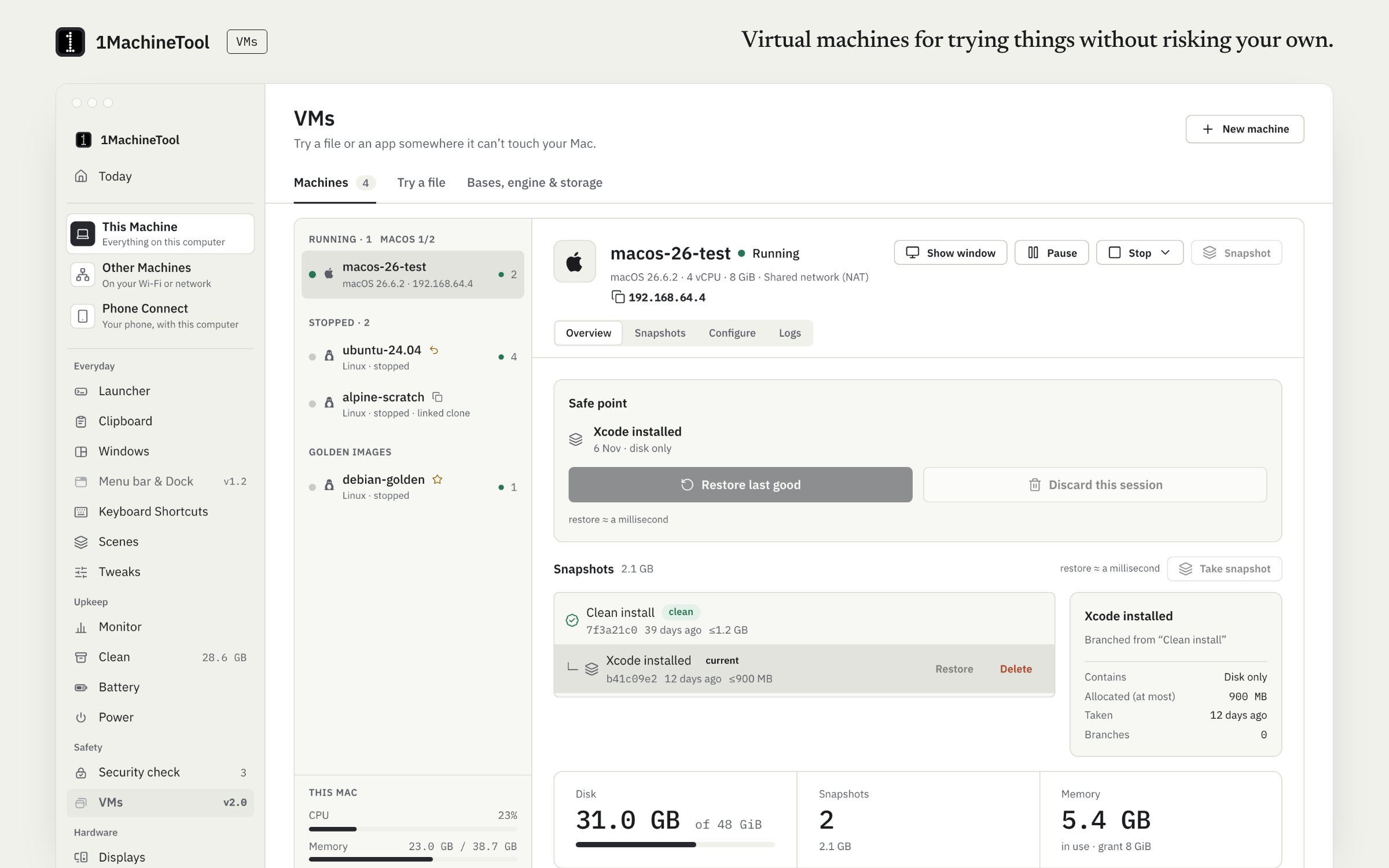
VMs runs Linux and, on an Apple silicon Mac, macOS in a window on your computer. A machine is a folder you can read, snapshots are instant, and a rollback puts the disk back to how the boot found it. A throwaway run opens a file in a clone that is deleted when it stops.
Checked against 1MachineTool 1.7.0, 18 November 2026
What it does.
- Linux in one click
- Pick Ubuntu Desktop, Ubuntu Server, Debian or Alpine. It downloads the current installer, checks it against the published checksum, makes a machine sized for your computer and starts it.
- Saved machines
- Create, start, stop and delete. Each VM is a folder with a readable config.json.
- Snapshots and rollback
- Take a snapshot before a risky change, or discard a session to put the disk back to how that boot found it.
- Throwaway runs
- Open a file in a clone of a base machine. The file is inspected first, its folder is shared read-only, there is no network card unless you allow one, and the clone is deleted when it stops.
- Shared folders, or no network
- Share a host folder into the guest, and choose NAT or no network card at all.
- macOS guests on a Mac
- On Apple silicon, install macOS from a restore image through Apple's Virtualization.framework.
How you use it.
- Open VMs in the sidebar.
- Pick a Linux distribution, or run `1machine vm get ubuntu-desktop`.
- Finish the installer in the VM's window. The machine boots from its own disk afterwards.
- Take a snapshot, or discard the session when you want the disk back as it was.
From the terminal
1machine vm list- The engine, bases, saved VMs and recent throwaway runs.
1machine vm get ubuntu-desktop- Download a Linux installer, check it, make the machine and start it.
1machine vm try <file> --guest linux- Open a file in a throwaway VM.
1machine vm discard <name>- Put the disk back to how this boot found it.
Free and Pro.
Free
1 saved VM, one running at a time, with 1 snapshot.
Pro
Unlimited VMs and snapshots, and golden base images, which throwaway runs clone.
$29 once for one computer, $59 for three, $89 for fiveOn your computer.
- macOS
- Apple silicon only: macOS and Linux guests on Apple's Virtualization.framework, with a display window, shared folders, snapshots and rollback. On an Intel Mac the VMs page says VMs need Apple silicon.
- Windows
- Linux guests on QEMU and the Windows Hypervisor Platform, with snapshots, rollback, throwaway runs and a read-only shared folder. If the PC is missing QEMU or the platform feature, the page lists what is missing and sets each up in one click.
- Linux
- Linux guests on QEMU and KVM from any x86_64 ISO, with shared folders, snapshots, rollback and throwaway runs.
What it doesn’t do.
- Windows guests are not available yet.
- macOS guests run only on Apple hardware.
- A base machine needs an installer image: one of the four Linux downloads, or an ISO or restore image you provide.
- On a Mac, guests use NAT or no network. Bridged networking needs an Apple entitlement the app does not have.
Questions.
Can I run Windows in a 1MachineTool VM?
Not today. Guests are Linux on every OS, and macOS on an Apple silicon Mac. The VMs page reports Windows guests as later.
Can I run Linux on an Apple silicon Mac?
Yes. Pick Ubuntu Desktop, Ubuntu Server, Debian or Alpine and the app downloads the ARM64 installer, checks it and starts the machine.
What is a throwaway VM?
A clone of a base machine made to open one file. Its folder is shared read-only, it has no network card unless you allow one, and it is deleted when it stops. Throwaway runs clone a golden base, which is part of Pro.
How many VMs can I have on Free?
One saved VM, one running at a time, with one snapshot. Pro removes those limits.