Today and What changed? · Upkeep
See what changed on your computer, next to when it got slow.
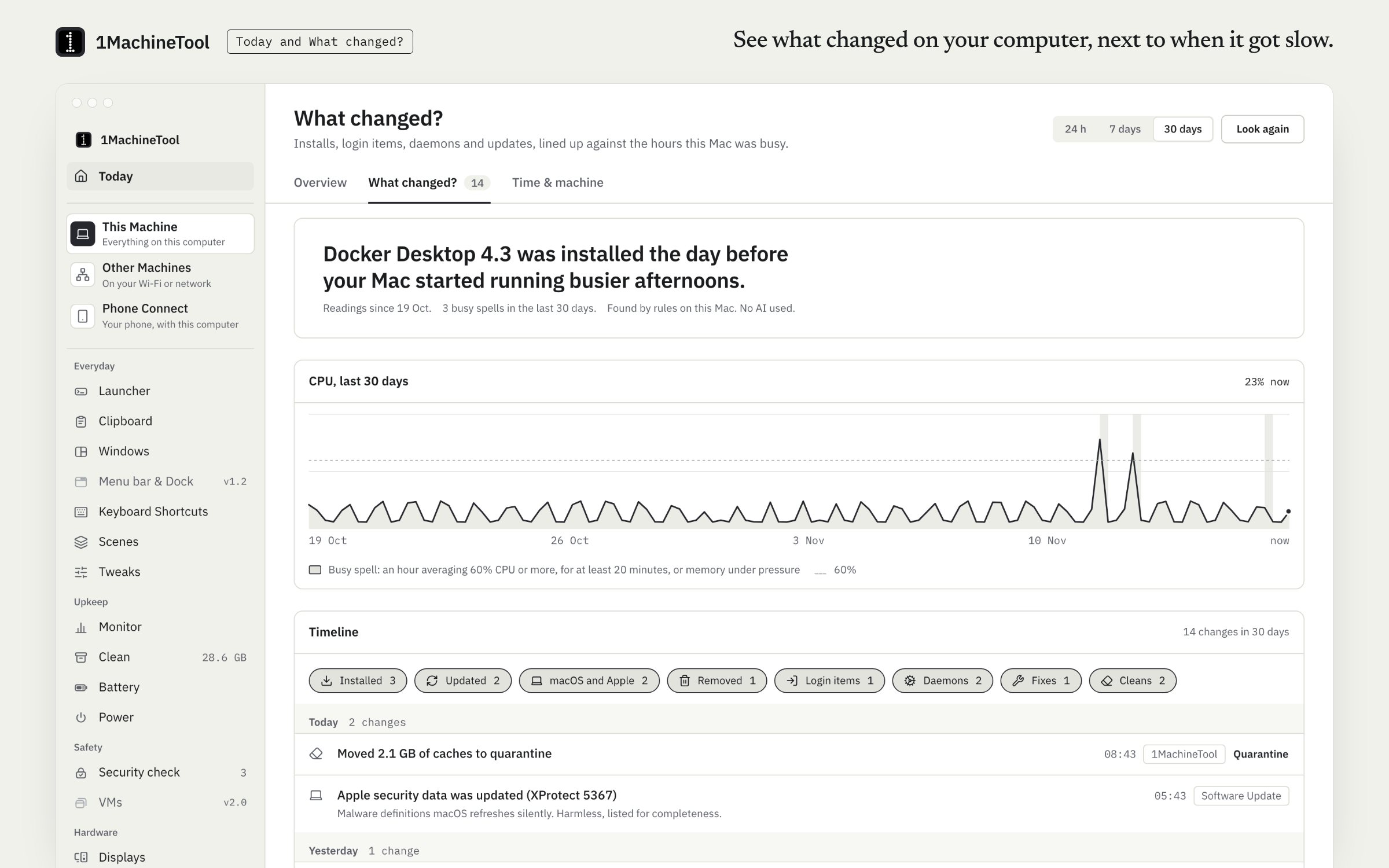
What changed? is a timeline of installs, updates, new startup items and background services, lined up against the slow spells in your CPU and memory history. It is a tab of the Today page, beside where your time went and the machine's age.
Checked against 1MachineTool 1.7.0, 18 November 2026
What it does.
- A timeline of changes
- Installs and updates, apps added or removed, new launch agents and daemons, and 1MachineTool's own fixes.
- Lined up with slow spells
- Slow spans from the CPU and memory history sit beside the changes, with a sentence that says honestly whether they line up.
- Where the time went
- Which app was in front, sampled every 30 seconds while you are active.
- Machine age
- The model and chip, how long the machine has been in use, and the battery's health and cycles, in one sentence.
- Today, in one sentence
- The Overview tab says how the machine is doing and shows the finding worth a look.
How you use it.
- Open Today and choose the What changed? tab.
- Read the timeline beside the slow spells. Where a change lines up with one, it says so.
- Open Time & machine for where your time went and the machine's age.
From the terminal
1machine changes --range 7d- Installs, startup items, daemons and updates over a week, against slowdowns.
1machine report- This week's report.
Free and Pro.
Free
All of it. Nothing here is counted against a Free limit.
Pro
The same. Pro also sends the weekly report by email on Mondays.
$29 once for one computer, $59 for three, $89 for fiveOn your computer.
- macOS
- The timeline reads the system's install history, the Applications folders, launch agents and daemons, and 1MachineTool's own activity.
- Windows
- Early build. What changed? is not built for Windows yet, and the page says so.
- Linux
- The timeline reads the apt, dpkg and snap logs and your startup items.
What it doesn’t do.
- Apps and startup items are compared from scan to scan, so that part of the timeline begins when you install 1MachineTool. The system's own install history goes back further.
- A change that lines up with a slow spell is a lead, not proof, and the sentence says so.
- Where the time went is sampled only while you are active.
Questions.
How do I see what was installed on my Mac recently?
Open Today, then What changed?. The timeline lists installs, updates, apps added or removed and new startup items, from the system's install history and 1MachineTool's own scans.
Can it tell me why my computer got slow after an update?
It can show you whether the two line up. Slow spells from the CPU and memory history sit next to the changes, and a sentence says whether a change came just before one. That is a lead to follow, not proof.
Is What changed? free?
Yes. The timeline, where the time went and the machine age report are free.
Does it record what I do?
Where the time went notes which app is in front, every 30 seconds while you are active. That record stays on your machine.