Diagnosis · Upkeep
Ask why the machine is slow, hot, full or draining, and get the cause.
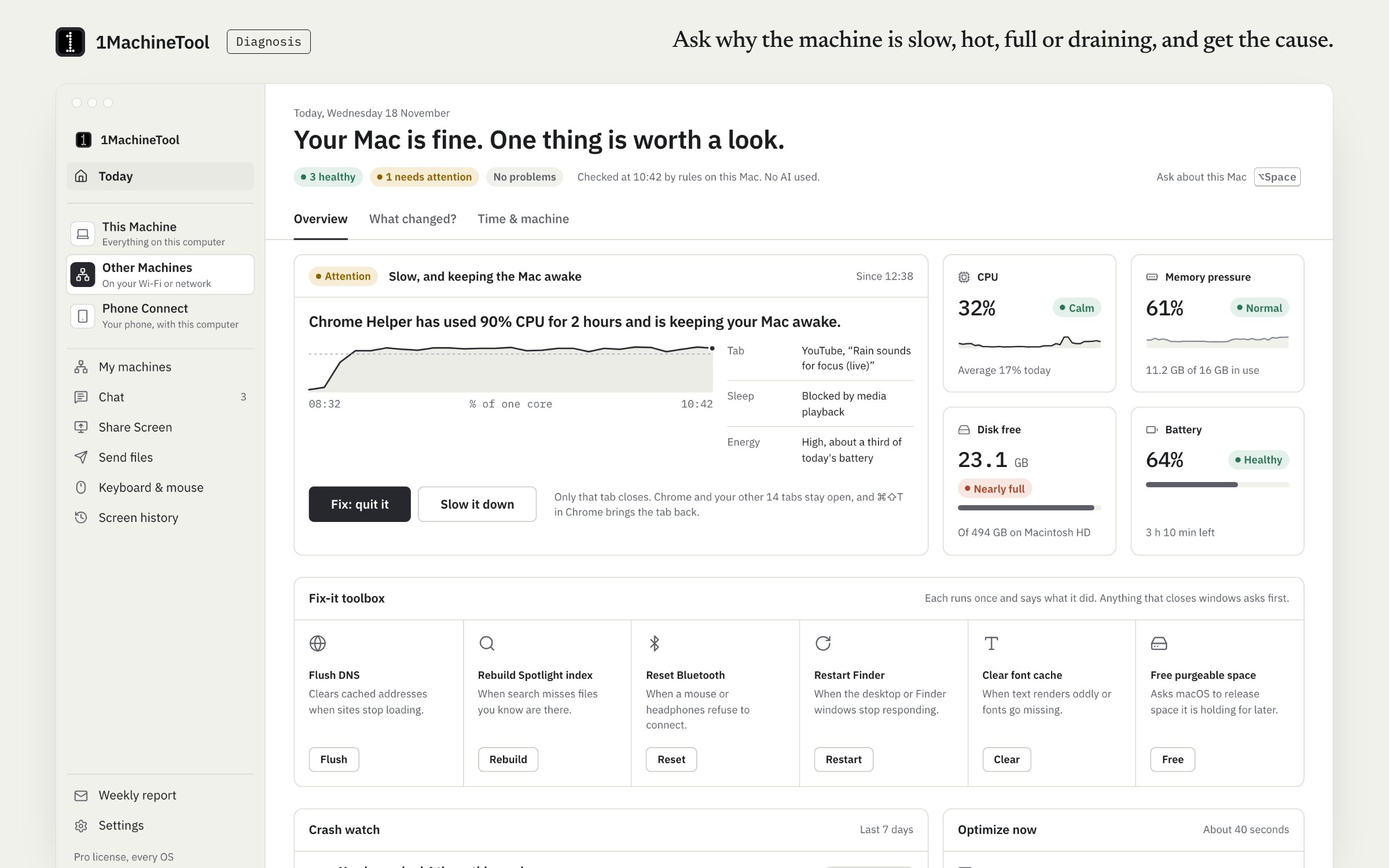
Diagnosis answers seven questions about your computer: why it is slow, hot, draining the battery, short of disk space, not sleeping or on bad Wi-Fi, and what woke it. Each finding is one sentence with the evidence, what the fix will do, and an undo where the fix can be reversed. Rules on your machine do the work, not AI.
Checked against 1MachineTool 1.7.0, 18 November 2026
What it does.
- Seven questions
- Slow, hot, battery, disk, sleep, Wi-Fi and what woke it. Ask from the launcher, the Today page or the terminal.
- Findings that explain themselves
- One sentence that names the cause, the evidence behind it, and what happens if you fix it.
- Fixes with undo
- Quit it, slow it down or ignore it, straight from the finding. Where a fix can be reversed, the undo comes with it.
- Today
- One sentence about how the machine is doing and the finding worth a look, each time you open the app.
- Fix-it toolbox
- Flush DNS, rebuild the Spotlight index, reset Bluetooth, restart Finder, clear the font cache, free purgeable space and clear Quick Look thumbnails. Each says what it does first.
- Optimize now and crash watch
- Optimize now runs the safe cleanups in one go. Crash watch lists the apps that have been crashing.
- Rules, not AI
- Findings come from rules on your machine. Bring your own AI if you want it; it is off by default and only facts are sent.
How you use it.
- Open the launcher and type the question, for example "why is my mac slow".
- Read the finding: the cause, the evidence and what the fix will do.
- Choose the fix, or Ignore.
- Undo it if you change your mind.
From the terminal
1machine diagnose slow- Answers one question: slow, hot, battery, disk, sleep, wifi or woke.
1machine status- How the machine is doing right now.
Free and Pro.
Free
Every question and every finding, as often as you like. 3 fixes a day; undo is never counted.
On your computer.
- macOS
- All seven questions, fixes with undo, Today, Optimize now, crash watch and the toolbox.
- Windows
- Early build. The Today page in the app says what works there today.
- Linux
- Findings read Linux's own sources, and the toolbox runs the Linux commands, such as resolvectl for Flush DNS.
What it doesn’t do.
- It is rule-based. It will not hold a conversation about your machine unless you bring your own AI.
- Some toolbox fixes ask for your admin password, because the command behind them needs it.
- Free applies 3 fixes a day.
Questions.
Does the diagnosis use AI?
No. Findings come from rules that run on your machine. AI is optional and off by default; if you switch it on with your own key, only facts such as names, sizes and percentages are sent, to the provider you chose.
Is the diagnosis free?
The questions and every finding are free and unlimited. Free applies 3 fixes a day, and undo is never counted. Pro removes the limit.
What questions can I ask?
Seven: why it is slow, why it is hot, why the battery is draining, what is filling the disk, why it will not sleep, why the Wi-Fi is bad, and what woke it.
Will a fix delete anything?
A fix quits or slows a process, or changes a setting, and says what will happen first. Anything that removes files goes to quarantine for 30 days, where you can restore it.