Battery · Upkeep
Know your battery's health, and hold the charge at 80%.
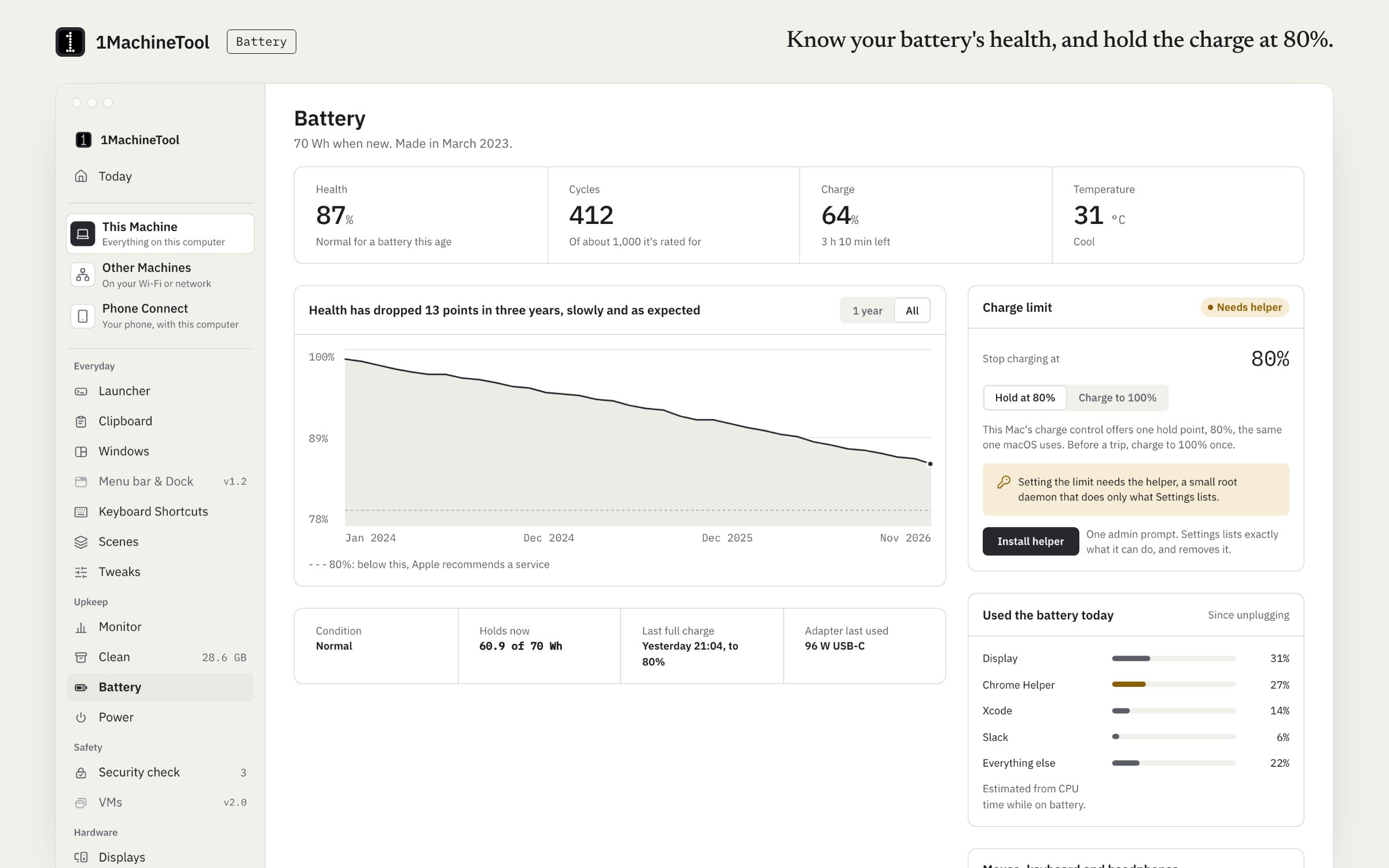
Battery shows health, cycle count, wear over time, today's usage and the batteries of your peripherals. With Pro it sets a charge limit through a small helper, and Charge to 100% once lifts the limit for a travel day. Health is free.
Checked against 1MachineTool 1.7.0, 18 November 2026
What it does.
- Health and cycles
- Battery health, the cycle count, and a history of wear.
- Usage today
- How the battery was used today.
- Peripheral batteries
- The batteries of your connected peripherals, next to the laptop's.
- Charge limit
- With Pro, hold the charge below full to slow wear. The limit is read from the SMC and set through the helper.
- Charge to 100% once
- Lift the limit for one full charge before a day away.
- Why it is draining
- Ask the launcher why the battery is draining, and Diagnosis answers from the same facts.
How you use it.
- Open Battery for health, cycles and wear.
- For the charge limit, install the helper from Settings with one admin prompt.
- Switch the limit on. Use Charge to 100% once before a long day away from power.
From the terminal
1machine battery- Battery health and charge.
1machine diagnose battery- Answers why the battery is draining.
1machine helper status- Says whether the privileged helper is installed and answering.
Free and Pro.
Free
Health, cycles, wear history, usage today and peripheral batteries.
On your computer.
- macOS
- Health, cycles, wear history, usage today, peripheral batteries, and the charge limit through the helper. Apple silicon offers one hold point, 80%.
- Windows
- Early build. The Battery page in the app says what works there today.
- Linux
- Health from sysfs, and the firmware's own charge thresholds through UPower on laptops that have them. Setting the thresholds is built but was not exercised on the test laptop.
What it doesn’t do.
- Setting the limit needs the privileged helper, installed with one admin prompt.
- On Apple silicon the only hold point is 80%.
- No sailing mode, heat protection or calibration.
Questions.
Can I limit MacBook charging to 80%?
Yes, with Pro. 1MachineTool sets the 80% hold point that Apple silicon Macs offer, through a small helper you install with one admin prompt. Charge to 100% once lifts it for a single charge.
Why only 80% on Apple silicon?
That is the one hold point the hardware offers there, and 1MachineTool sets only what the system supports.
Is battery health free?
Yes. Health, cycles, wear history, usage today and peripheral batteries are free. The charge limit is Pro.
What is the helper?
A small root daemon that answers a fixed list of operations, the charge limit among them, and only for the user who installed it. You install it from Settings with one admin prompt and can remove it there.