Power · Upkeep
Keep the machine awake for as long as the job takes.
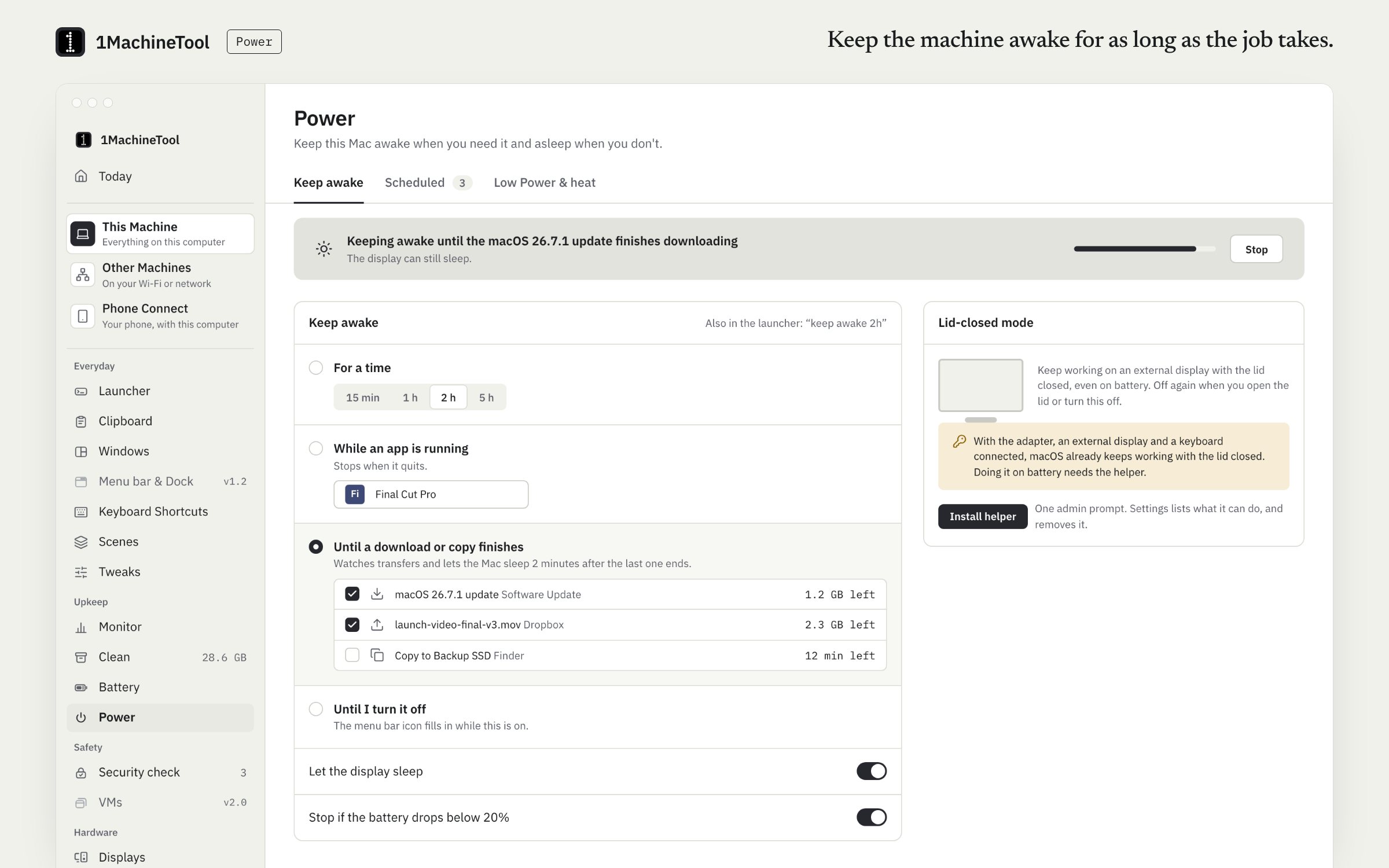
Power keeps your computer awake until you say stop, for a set time, while an app runs or until downloads finish. It also schedules sleep, restart, shutdown and Low Power Mode. Lid-closed mode is part of Pro; it and scheduled Low Power Mode go through a small helper.
Checked against 1MachineTool 1.7.0, 18 November 2026
What it does.
- Six ways to stay awake
- Until you turn it off, for a set time, until a set time, while an app runs, until downloads and copies finish, or during calls and screen sharing.
- Schedules
- Sleep, restart, shut down or wake at a time, when an app quits or when transfers finish.
- Low Power Mode on a schedule
- With the helper installed, turn Low Power Mode on at a time, or whenever you unplug. It turns off again when you plug in.
- Lid-closed mode
- With Pro, keep a laptop running with the lid shut.
- Cool down
- Lower the priority of your own apps that are using more than 80% of a core.
- Told when it ends
- An alert says when keep-awake has ended.
How you use it.
- Open Power and choose how long to stay awake.
- Add a schedule for anything that repeats.
- For lid-closed mode or scheduled Low Power Mode, install the helper from Settings with one admin prompt.
From the terminal
1machine awake 2h- Keeps the machine awake for two hours, or until Ctrl-C. Also 30m, 90s or until-stopped.
1machine diagnose sleep- Answers why the machine will not sleep.
1machine helper install- Installs the privileged helper, with one admin prompt.
Free and Pro.
Free
Every keep-awake mode, schedules and cool down.
Pro
Lid-closed mode, which keeps a laptop running with the lid shut.
$29 once for one computer, $59 for three, $89 for fiveOn your computer.
- macOS
- Keep-awake modes, schedules, cool down, and lid-closed mode and Low Power Mode through the helper.
- Windows
- Early build. The Power page in the app says what works there today.
- Linux
- Keep awake through GNOME's own idle inhibitor, or systemd-inhibit on other desktops, plus power profiles. Lid-closed mode is not offered: it is a logind setting that needs root.
What it doesn’t do.
- Lid-closed mode and scheduled Low Power Mode need the helper installed.
- Lid-closed mode is not offered on Linux.
- It has no triggers for a USB device or a Wi-Fi network; schedules follow a time, an app quitting, transfers finishing or unplugging.
Questions.
Is keep-awake free?
Yes. Every keep-awake mode and the schedules are free. Lid-closed mode is part of Pro.
Can it keep a MacBook awake with the lid closed?
Yes, with Pro and the helper. Changing sleep behaviour needs root, so 1MachineTool installs one small helper with one admin prompt. You can remove it in Settings.
Why won't my Mac sleep?
Ask the launcher. Diagnosis answers why the machine will not sleep and what woke it.
Does it stop when the download finishes?
Yes, if you pick that mode. Keep awake until downloads and copies finish ends on its own, and an alert tells you it has.