Why won't my Mac go to sleep?
Updated 18 November 2026
Short answer
An app is asking macOS to stay awake, usually for audio or video, a download, a backup or a call, or a setting is stopping sleep. Open Activity Monitor's Energy tab and read the Preventing Sleep column: any app that says Yes is the reason.
The usual causes.
An app is holding the Mac awake
Players, browsers with media in a tab, call apps, downloads and backups all ask macOS not to sleep while they work. Some forget to let go.
How to tellThe app shows Yes under Preventing Sleep in Activity Monitor's Energy tab.
A keep-awake tool is still on
A keep-awake app left running, or caffeinate in a forgotten Terminal window, does exactly what it was asked to.
How to tellcaffeinate or the app's name appears in the list of sleep assertions.
A setting prevents it on the charger
macOS has an option that stops the Mac sleeping automatically while it is plugged in and the display is off.
How to tellIt sleeps on battery but never on the power adapter.
Someone is connected to it
A screen sharing session, a file being copied from a shared folder or another remote connection keeps the Mac awake for the other side.
How to tellIt sleeps normally once the other computer disconnects.
A device keeps reporting activity
A mouse on an uneven surface, a game controller or a drawing tablet can look like someone using the Mac, and the idle timer starts again.
How to tellIt sleeps normally once the device is unplugged or switched off.
Check it by hand.
Look for Preventing Sleep
Open Activity Monitor and choose the Energy tab. The Preventing Sleep column says Yes beside every app holding the Mac awake. If the column is hidden, add it from View › Columns.
Ask macOS directly
Under "Listed by owning process", look for PreventUserIdleSystemSleep, PreventSystemSleep and PreventUserIdleDisplaySleep. Each line names the process and usually its reason.
pmset -g assertionsRead the one-line summary
The sleep line ends with the names of the processes preventing it.
pmset -g | grep sleepCheck the settings
System Settings › Lock Screen holds the timers that turn the display off. System Settings › Battery › Options, or Energy on a desktop Mac, holds the option that prevents automatic sleeping while the display is off.
Quit or pause what you found, then test
Close the app or stop its playback, then choose Sleep from the Apple menu. If the Mac sleeps and comes straight back, the question has changed to what woke it.
The same job in 1MachineTool.
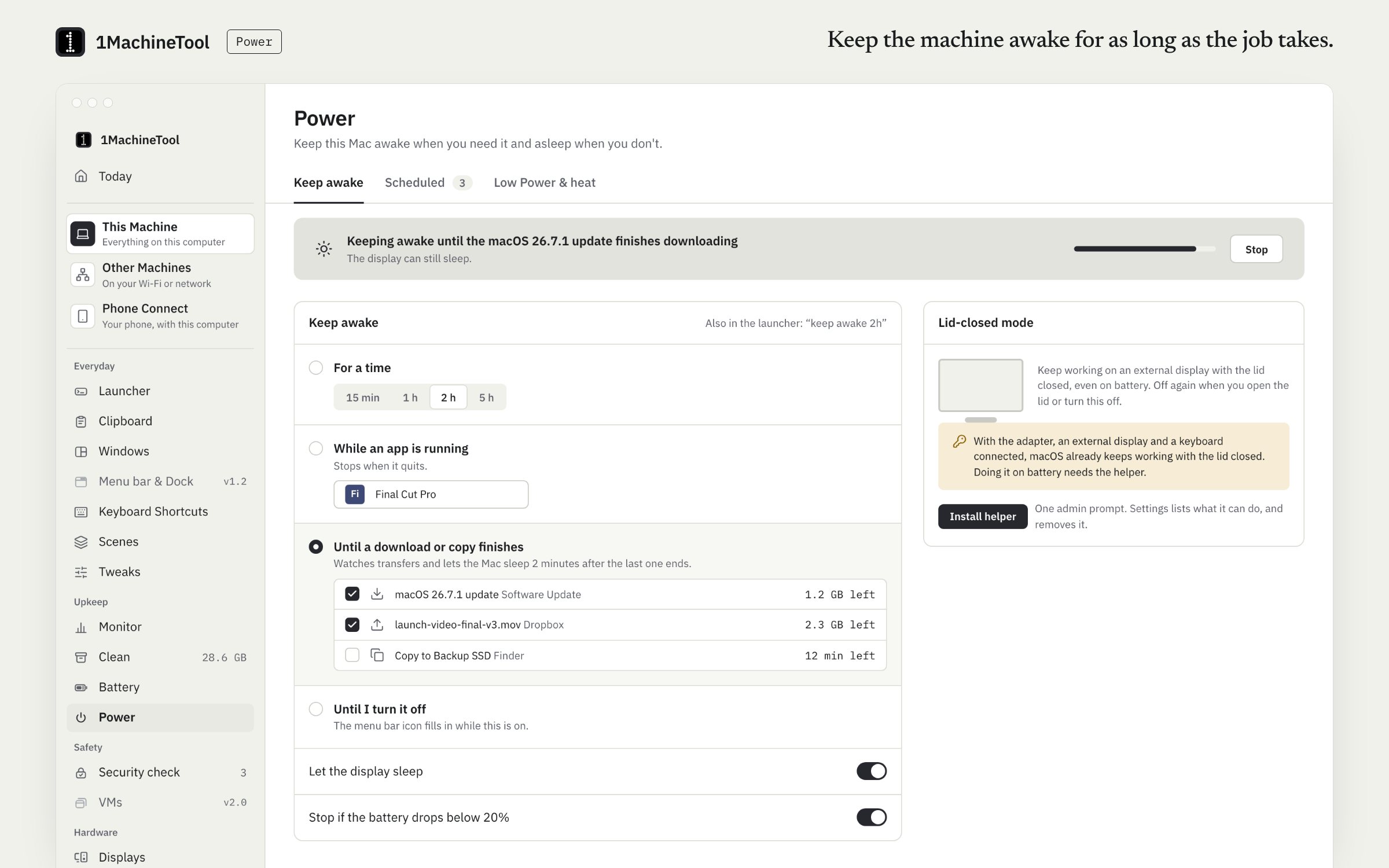
1MachineTool reads the same power assertions and turns them into a sentence, with the reason the app gave macOS.
- Names each app that is keeping the Mac awake, with its reason. An example finding: "Chrome Helper has used 90% CPU for 2 hours and is keeping your Mac awake."
- Says whether the screen is being kept on too, or only the Mac.
- Offers to quit the app from the finding, and says first what happens if you do.
- Tells you when it is 1MachineTool's own keep-awake, with a Stop keeping awake button.
Asking the question and every finding are free and never counted. Quitting an app from a finding is one of Free's 3 fixes a day. Keep-awake itself is free; lid-closed mode and scheduled Low Power Mode are part of Pro ($29 once for one computer).
In the launcher
why won't it sleep
In the terminal
1machine diagnose sleep1MachineTool 1.7.0
On Windows and Linux.
On Windows, powercfg /requests in an administrator terminal lists what is blocking sleep. On Linux, systemd-inhibit --list does the same. 1MachineTool reads those inhibitors on Linux and answers the question there; it is tested on Ubuntu with GNOME. The Windows build is early, and each page in the app says what works there today.
Questions.
How do I see what is preventing sleep on a Mac without an app?
Open Activity Monitor, choose the Energy tab and read the Preventing Sleep column. In Terminal, pmset -g assertions lists every process holding the Mac or the display awake, with its reason.
Why does the screen turn off but the Mac stay awake?
The display and the Mac sleep separately. An app can let the screen go dark while it keeps the system awake for a download, a backup or audio. pmset lists these as PreventUserIdleSystemSleep rather than PreventUserIdleDisplaySleep.
Does closing the lid always put a MacBook to sleep?
Yes, unless it has power, an external display and an external keyboard and mouse, in which case it can keep running with the lid closed. A keep-awake tool can also hold it awake with the lid shut.
Why does my Mac sleep and then wake straight away?
That is a wake, not a failure to sleep. Network access, a USB or Bluetooth device or a scheduled task woke it, and the power log records which.