How do I keep my Mac awake, even with the lid closed?
Updated 18 November 2026
Short answer
With the lid open, run caffeinate in Terminal or switch off automatic sleep in System Settings. With the lid closed, a MacBook stays awake by itself only when it has power, an external display, a keyboard and a mouse. Without a display, you need a tool that turns off lid sleep, such as 1MachineTool's lid-closed mode.
Your options.
caffeinate, in Terminal
Built into macOS. It keeps the Mac awake while the command runs, for a set time or until another command finishes. It does not stop a MacBook sleeping when you close the lid.
Best whenBest when you need one download or one long job to finish.
The sleep settings in macOS
System Settings › Battery › Options can stop a MacBook sleeping by itself while it is on the power adapter, even after the display turns off. The lid still has to stay open.
Best whenBest when the Mac sits on a desk, plugged in, lid open.
Closed-display mode
Apple's own way to run a MacBook shut: connect the power adapter, an external display and an external keyboard and mouse, then close the lid. The Mac carries on using the external display.
Best whenBest when you work at a monitor and want the laptop out of the way.
A keep-awake app
Apps such as Amphetamine keep the Mac awake from the menu bar: for a time, during a download or while an app runs, with triggers that start a session for you.
Best whenBest when you want it to switch on by itself for a display, a network or an app.
1MachineTool's Power page
Keep-awake modes from the launcher or the tray, schedules, and a lid-closed mode that needs no external display.
Best whenBest when the lid must be shut with nothing plugged in but power.
Do it with what macOS has.
Keep it awake for a set time
Open Terminal and run caffeinate with a time in seconds. This one keeps the Mac and its display awake for an hour; Control-C stops it early.
caffeinate -d -t 3600Keep it awake until a job ends
Put caffeinate in front of a command and the Mac stays awake until that command finishes.
caffeinate -i rsync -a ~/Projects /Volumes/BackupStop automatic sleep on the power adapter
In System Settings › Battery › Options, turn on Prevent automatic sleeping on power adapter when the display is off.
Close the lid at a desk
Connect power, an external display, a keyboard and a mouse, wait for the desktop to appear on the display, then close the lid.
See what is keeping it awake
This lists every app and service that is holding the Mac or its display awake right now.
pmset -g assertions
The same job in 1MachineTool.
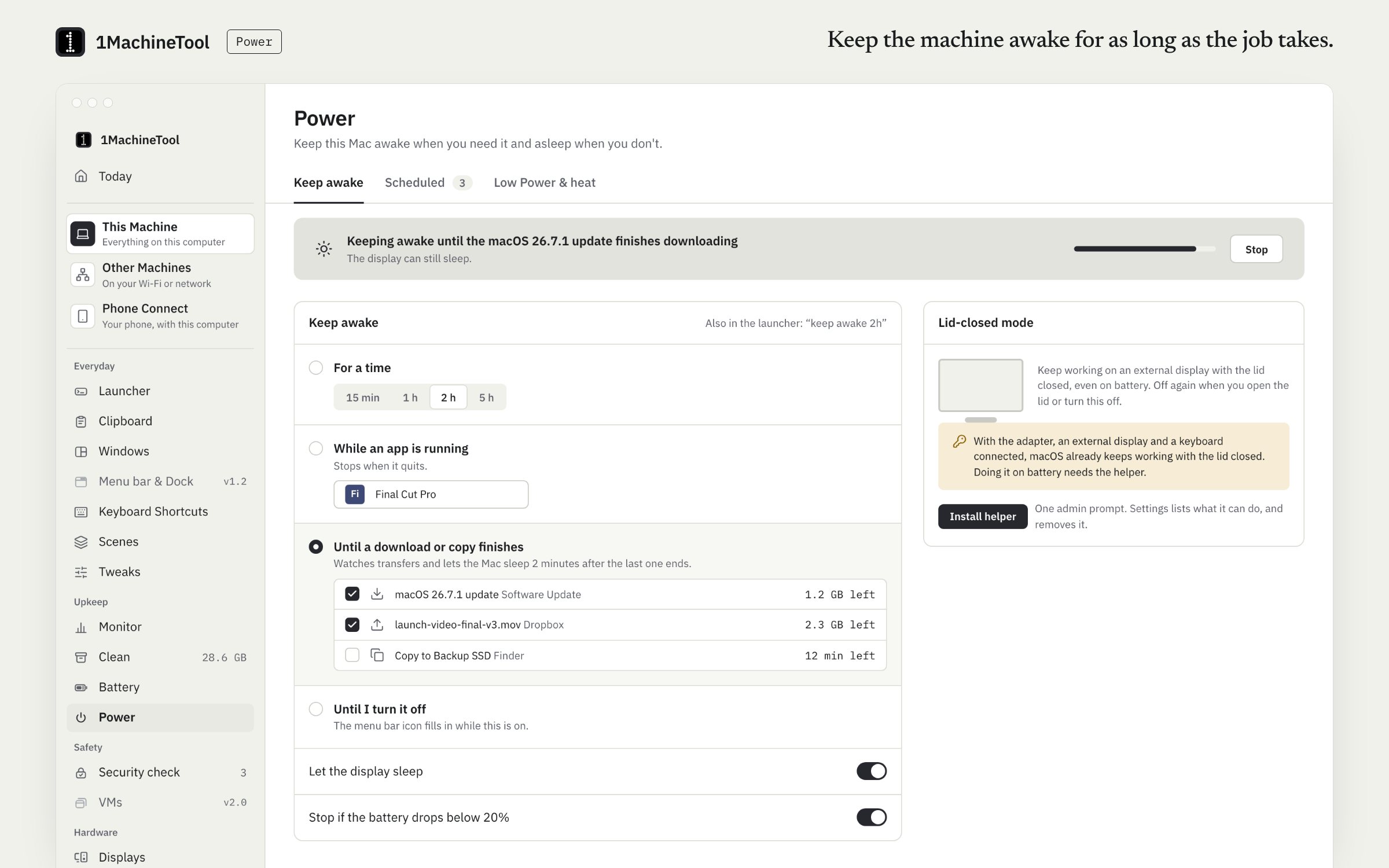
Power keeps the Mac awake for 15 minutes, an hour, two or five hours, until you turn it off, until downloads finish, or during calls and screen sharing. Lid-closed mode keeps a MacBook running when it is shut with no display attached; it changes a sleep setting that needs root, so it goes through the helper you install with one admin prompt.
- The menu bar icon fills in while keep-awake is on, so you can see it at a glance.
- Schedules keep the Mac awake at set times.
- Share Screen keeps the Mac awake while someone is connected to it.
- Ask the launcher why the Mac won't sleep, or what woke it, and it names the culprit.
Keep-awake modes and their schedules are on Free. Lid-closed mode and scheduled Low Power Mode are part of Pro and need the helper.
In the launcher
keep awake 2h
In the terminal
1machine awake 2h1MachineTool 1.7.0
On Windows and Linux.
On Windows, Control Panel › Power Options › Choose what closing the lid does can be set to Do nothing. On Linux, 1MachineTool keeps the machine awake through GNOME's own idle inhibitor, or systemd-inhibit on other desktops; it does not offer lid-closed mode there, because that is a logind setting that needs root.
Questions.
Does caffeinate work with the lid closed?
No. Closing the lid puts a MacBook to sleep whatever caffeinate is doing. The exception is closed-display mode: power, an external display, a keyboard and a mouse.
Is it safe to run a MacBook with the lid closed?
On a desk with air around it, yes; Apple supports it with an external display. Don't put a running MacBook in a bag or a sleeve. It can't shed heat there and will get hot.
How do I see what is keeping my Mac awake?
Run pmset -g assertions in Terminal, or open Activity Monitor's Energy tab and look at the Preventing Sleep column. Both name the app.
Is keep-awake free in 1MachineTool?
Yes. The keep-awake modes are on Free. Lid-closed mode is part of Pro, which is $29 once for one computer.