Scenes · Everyday tools
One command sets the machine up for what you are about to do.
A scene is a list of steps that run together: keep awake, mute, pause clipboard history, restore a window layout, open or quit apps and more. Presentation, Travel and Deep work come built in, and you can write your own. Leaving a scene restores what it changed.
Checked against 1MachineTool 1.7.0, 18 November 2026
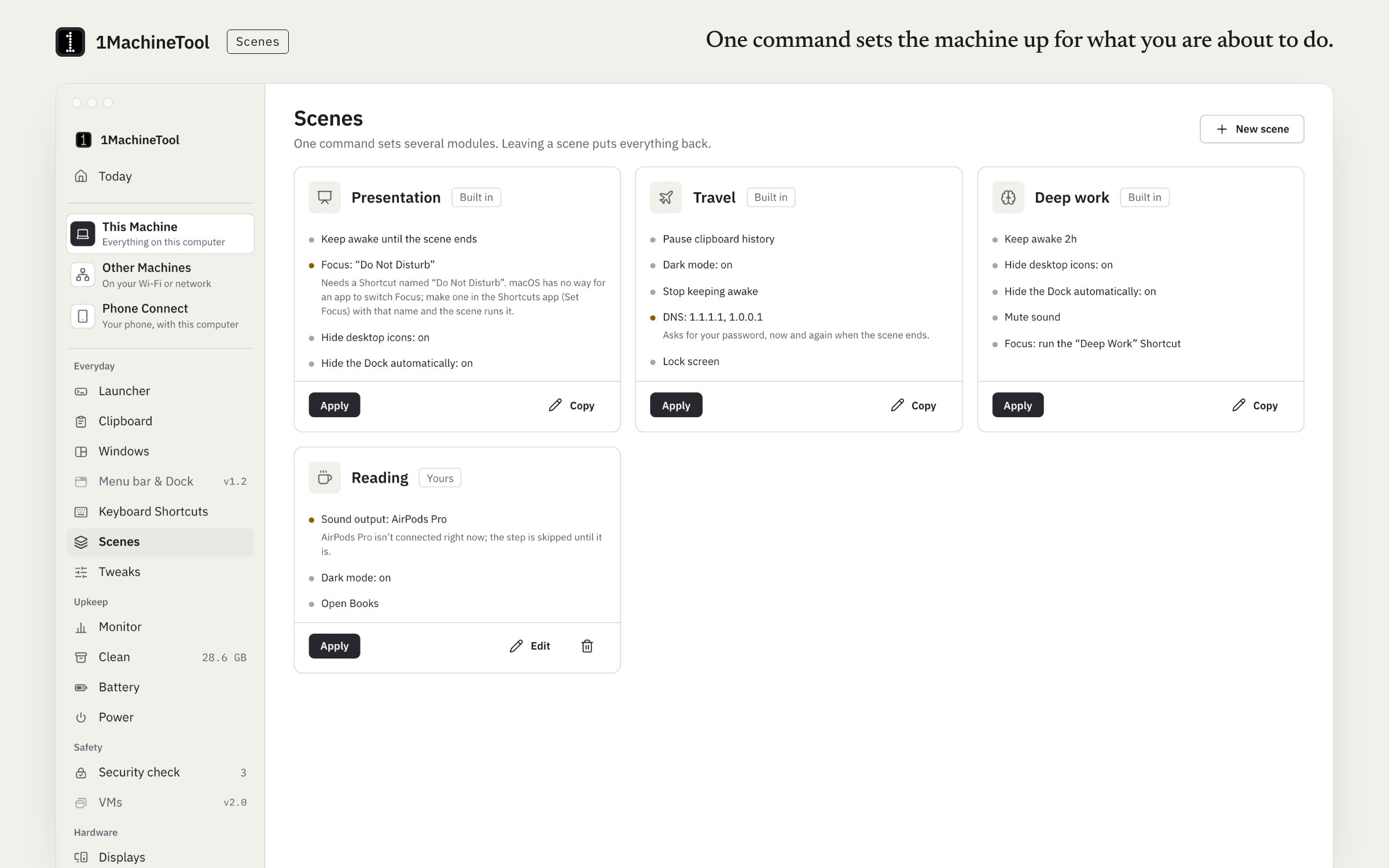
What it does.
- Three built in
- Presentation, Travel and Deep work are ready to run.
- Your own, in an editor
- Build a scene from steps: keep awake, a tweak, sound output, mute, microphone mute, a window layout, DNS, clipboard pause, a Focus, opening or quitting an app, or a command of yours.
- Leaving puts it back
- Every step remembers what it changed, so leaving the scene restores the machine to how it was.
- Run from the launcher
- Each scene is a command in the launcher, as well as a button on the Scenes page.
- Screen sharing as a step
- A scene can turn screen sharing on or off along with everything else.
How you use it.
- Open Scenes and pick Presentation, Travel or Deep work, or make your own in the editor.
- Run it from the page, or type its name in the launcher.
- Leave the scene when you are done. What it changed goes back.
From the terminal
1machine scene list- Lists your scenes and their ids.
1machine scene apply <id>- Runs a scene.
1machine scene leave- Leaves the current scene and restores what it changed.
Free and Pro.
Free
2 scene runs a day. The limit starts again at midnight.
Pro
Unlimited runs, and your scenes carried to your other machines by setup sync.
$29 once for one computer, $59 for three, $89 for fiveOn your computer.
- macOS
- Presentation, Travel, Deep work and your own, with the editor and launcher commands. Focus has no macOS API, so that step runs a Shortcut you create once.
- Windows
- Early build. The Scenes page in the app says what works there today.
- Linux
- Scenes run on Linux, and the Focus step switches GNOME's Do Not Disturb.
What it doesn’t do.
- Focus (Do Not Disturb) has no macOS API: the step runs a Shortcut you create once.
- Free runs 2 scenes a day.
Questions.
What is a scene?
A named list of steps that run together, such as keep awake, mute sound, pause clipboard history and restore a window layout. Running Presentation before a talk does all of it at once, and leaving the scene puts things back.
Are scenes free?
Yes, 2 runs a day on Free. The limit starts again at midnight. Pro has no limit.
Can a scene turn on Do Not Disturb?
On Linux, yes: the step switches GNOME's Do Not Disturb. macOS has no API for Focus, so on a Mac the step runs a Shortcut that you create once.
What happens when I leave a scene?
Each step remembers what it changed, so leaving the scene restores those settings to what they were before you ran it.