Windows · Everyday tools
Snap windows into place, and save the layout for each desk.
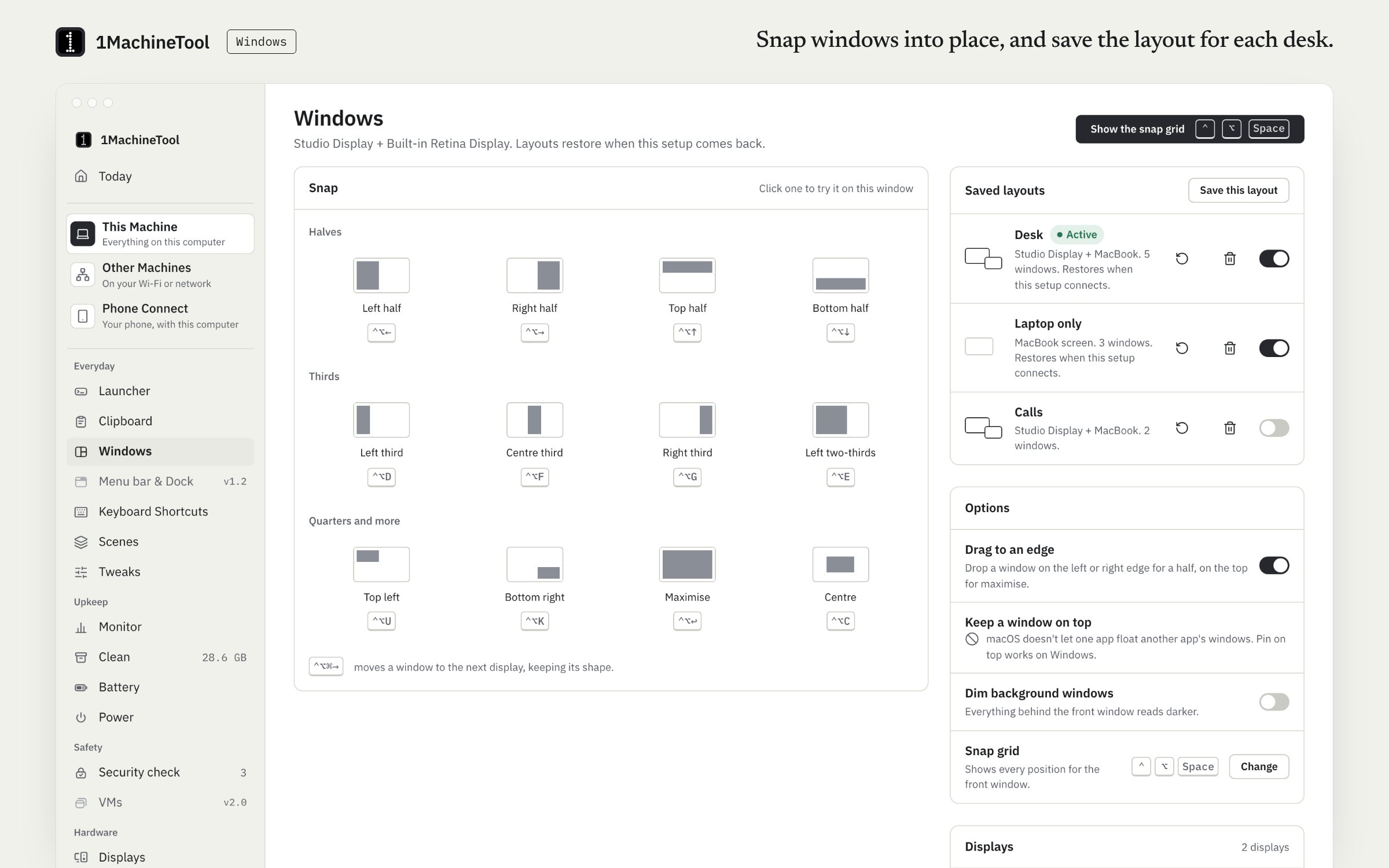
Windows snaps the front window to halves, thirds, two-thirds, corners, the centre or the next display: by shortcut, from the snap picker or by dragging to a screen edge. It saves layouts per display setup. Snapping is free and never counted.
Checked against 1MachineTool 1.7.0, 18 November 2026
What it does.
- Halves, thirds and corners
- Left, right, top and bottom halves, thirds and two-thirds, the four corners, maximise, centre and the next display.
- Shortcut, picker or drag
- Snap with a shortcut, choose a target from the snap picker (⌃⌥Space by default), or drag a window to a screen edge.
- Layouts per display setup
- Save where your windows sit. Each layout belongs to a display setup, so the laptop screen and the desk with a monitor each keep their own.
- Window switcher
- Find an open window from the launcher and jump to it.
- Dim background windows
- With Pro, everything behind the front window dims.
How you use it.
- Turn on Windows and allow Accessibility when macOS asks. Moving another app's window needs it.
- Press a snap shortcut, or open the snap picker and choose a target.
- Or drag a window to a screen edge.
- Arrange a desk the way you like it and save it as a layout.
From the terminal
1machine snap left-half- Snaps the front window. Also right-half, maximise and the other targets.
Free and Pro.
Free
Every snap target, drag to edge and the window switcher, never counted. 1 saved layout.
Pro
Unlimited saved layouts, and dimming of background windows.
$29 once for one computer, $59 for three, $89 for fiveOn your computer.
- macOS
- Every snap target, next display, drag to edge, saved layouts per display setup and dimming.
- Windows
- Early build. The Windows page in the app says what works there today.
- Linux
- On an X11 session, every app. On GNOME's Wayland session, snapping, layouts and the switcher work only for apps that run through XWayland, because Wayland does not let one app move another's windows. Dimming is not offered on Linux.
What it doesn’t do.
- Pin on top is not offered on a Mac: macOS does not allow it.
- On Wayland, native Wayland apps cannot be moved. The page says which applies to your session.
- No window throwing or stashing.
Questions.
Is window snapping free?
Yes. Every snap target, drag to edge and the window switcher are free and never counted. Free saves 1 layout; Pro saves as many as you like and adds dimming of background windows.
Doesn't macOS already tile windows?
macOS 15 added basic tiling. 1MachineTool adds thirds and two-thirds, a snap picker, and layouts that belong to a display setup.
Does it work on Wayland?
Partly. Wayland does not let one app move another app's windows, so snapping and layouts work for apps that run through XWayland. On an X11 session they work for every app.
Can I keep Rectangle or Magnet for snapping?
Yes. Switch the Windows module off and the two will not compete for shortcuts. Every module can be turned off.