Launcher · Everyday tools
Open anything, and ask the machine a question, from one hotkey.
The launcher opens on one hotkey and finds apps, recent files and commands as you type. The same box does sums and unit conversions, pastes snippets, switches windows and answers questions such as why the machine is slow. It is free and never counted against a limit.
Checked against 1MachineTool 1.7.0, 18 November 2026
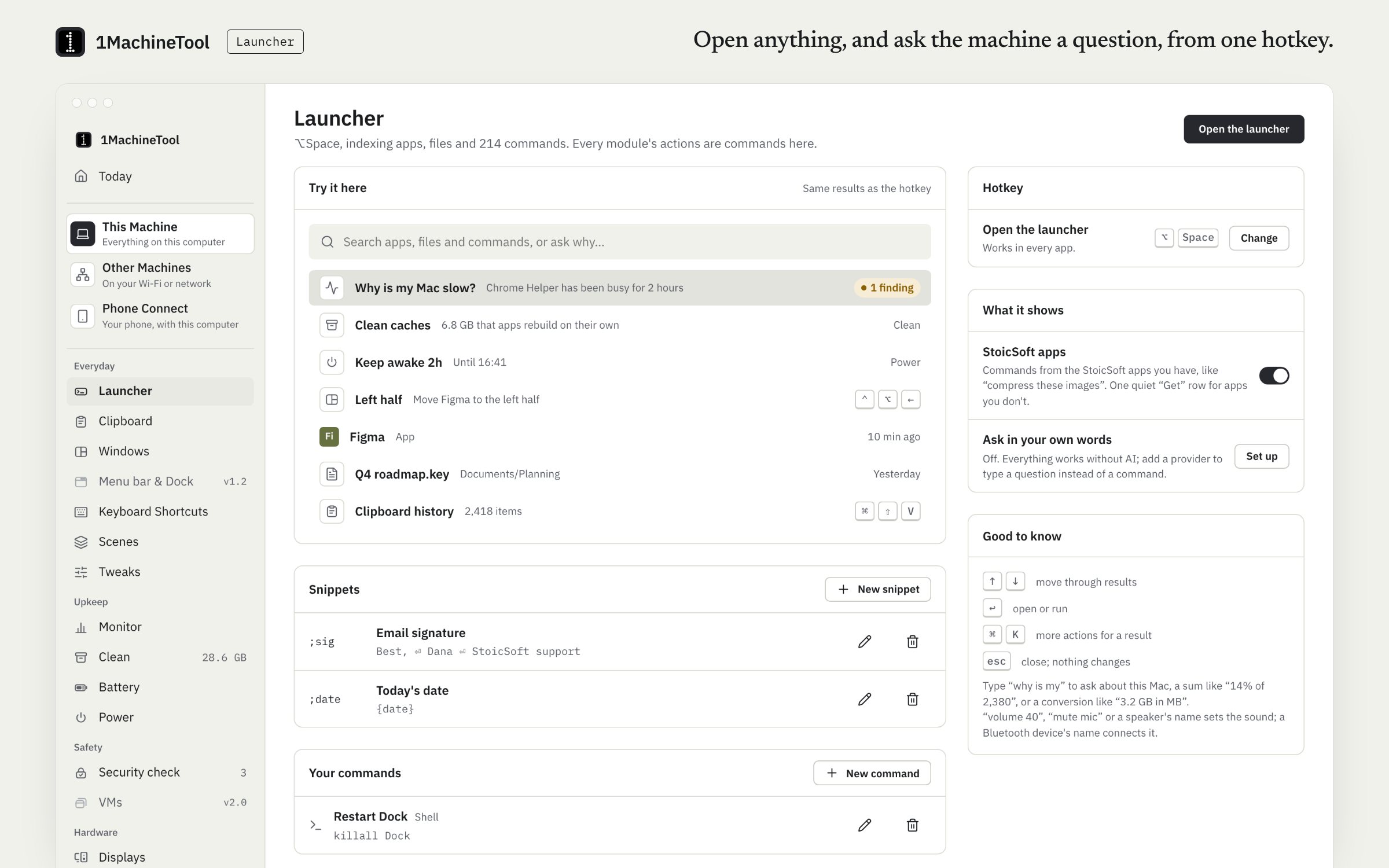
What it does.
- Apps and recent files
- Type a few letters to open an app or a file you used lately. Apps installed since last time show up the next time you open the launcher.
- Commands with arguments
- Type "volume 40", "mute mic", "bluetooth off" or "Connect to" and a machine's name, and the module does it. Every module's actions are commands here.
- Calculator and units
- Sums and unit conversions answer in place as you type.
- Snippets and your own commands
- Save text you type often as a snippet, with {clipboard} to drop in what you last copied. Add your own commands and run them by name.
- Window switcher
- Find an open window by name and jump to it.
- Questions about the machine
- Type "why is my mac slow" and an answer card names the cause, shows the evidence and offers a fix.
- StoicSoft commands
- If you use other StoicSoft apps with your AI agents, their MCP tools show up as commands. Read-only ones answer in place; the rest open the app.
How you use it.
- Press ⌥Space on a Mac or Alt+Space on Windows. On Linux the default is Ctrl+Space, because GNOME keeps Alt+Space for its own window menu.
- Type an app, a file, a command or a question.
- Press Enter to run the top result.
- Add snippets and your own commands on the Launcher page.
From the terminal
1machine stoicsoft- Lists the commands your other StoicSoft apps offer to the launcher.
Free and Pro.
Free
All of it. The launcher is never counted against a Free limit.
Pro
Nothing extra in the launcher itself. Pro's setup sync carries your snippets, commands and hotkeys to your other machines.
$29 once for one computer, $59 for three, $89 for fiveOn your computer.
- macOS
- Apps, recent files, commands with arguments, calculator, units, snippets, your own commands, the window switcher and StoicSoft commands.
- Windows
- Early build. The launcher lists your Start menu and Store apps, opens apps and files, and snippets with {clipboard} work. The Launcher page in the app says what else works there today.
- Linux
- Desktop entries, recently used files, icons from your icon theme and system commands. On GNOME's Wayland session the hotkey goes through the shortcuts portal, and GNOME asks once to allow it.
What it doesn’t do.
- It finds recent files, not every file on the disk. Full file search stays with the OS.
- There is no extension store. You add your own commands instead.
- On GNOME's Wayland session the window switcher sees only apps that run through XWayland.
Questions.
Is the launcher free?
Yes. The launcher is part of Free and is never counted against a daily limit. Pro adds nothing to it except carrying your snippets, commands and hotkeys to your other machines.
Can it replace Spotlight?
For opening apps, recent files, sums and conversions, yes. It does not search the whole disk; that stays with Spotlight or your file manager. Give the two different hotkeys and you can keep both.
Does it have extensions?
No extension store. You can add your own commands, and it picks up the MCP tools of the StoicSoft apps you have set up for your AI agents.
Which hotkey opens it?
⌥Space on a Mac and Alt+Space on Windows. On Linux the default is Ctrl+Space, because GNOME uses Alt+Space for its own window menu. You choose the hotkey on first run and can change it later.