Clipboard · Everyday tools
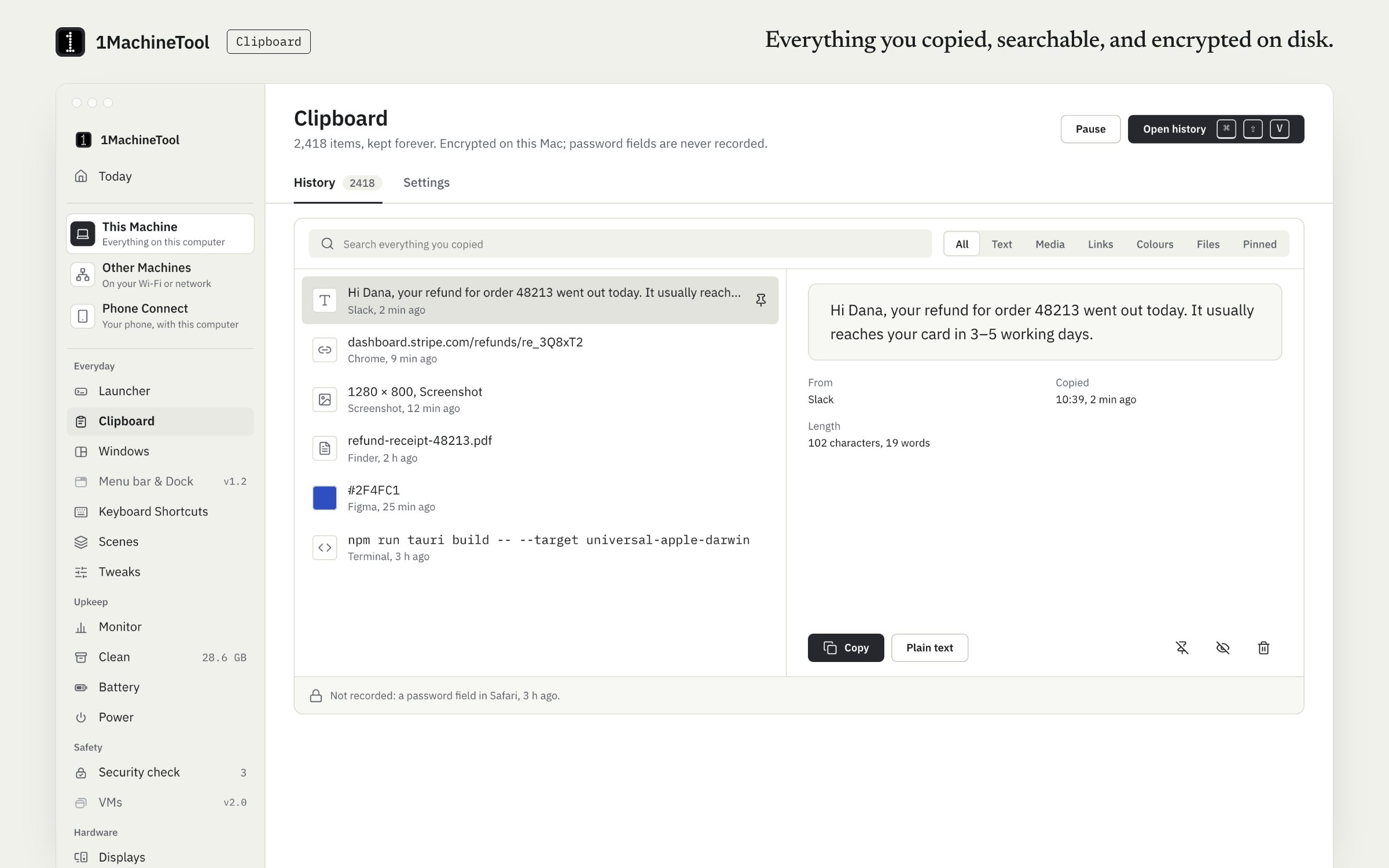
Everything you copied, searchable, and encrypted on disk.
Clipboard keeps a searchable history of what you copy: text, rich text, images, files, links and colours. History is encrypted at rest with AES-256-GCM, and secure fields and ignored apps are never recorded. Free records 100 new items a day.
Checked against 1MachineTool 1.7.0, 18 November 2026
What it does.
- Six kinds of copy
- Text, rich text, images, files, links and colours are kept as what they are, so an image pastes back as an image.
- Search and paste back
- Open the history, type to filter and press Enter. The menu bar panel also lists recent items, to copy or paste in place.
- Encrypted at rest
- History is stored on your disk encrypted with AES-256-GCM. It stays on this machine.
- Passwords stay out
- Secure fields are never recorded, and password managers such as 1Password, Bitwarden and KeePassXC are on the ignore list from the start. Add any app to it.
- Pause, and keep what you set
- Pause recording when you need to, and choose how long history is kept.
- Your phone's clipboard
- A paired phone can send its clipboard to this computer and take this computer's.
How you use it.
- Copy as usual. Nothing about ⌘C or Ctrl+C changes.
- Open the history with ⇧⌘V on a Mac, from the launcher, or from the menu bar panel.
- Type to search, then press Enter to paste the item into the app you were in.
- Add apps to ignore, pause recording or set how long history is kept on the Clipboard page.
From the terminal
1machine clip list --query invoice- Lists recent clipboard items, filtered by a word.
1machine clip copy <id>- Puts an item from the history back on the clipboard.
Free and Pro.
Free
100 new items a day. Past that, copy and paste still work; the history stops growing until midnight.
On your computer.
- macOS
- Text, rich text, images, files, links and colours, with paste-back into the app you were in.
- Windows
- Early build. Snippets with {clipboard} paste what you copied; the Clipboard page in the app says what else works there today.
- Linux
- On an X11 session, full history with paste-back. On GNOME's Wayland session, history records every copy through XWayland's clipboard and copying back works, but Wayland lets no app type into another, so pasting for you is off.
What it doesn’t do.
- History stays on each machine. Pro's setup sync carries hotkeys and snippets, not clipboard history.
- On Wayland it cannot paste for you: it puts the item back on the clipboard and you press paste.
- There are no pinboards and no paste stack.
Questions.
Is the clipboard manager free?
Yes, within a daily limit. Free records 100 new items a day; after that, copying and pasting still work and new copies are kept again the next day. Pro removes the limit.
Does it record passwords?
No. Secure input fields are never recorded, password managers are on the ignore list by default, and it honours the mark password managers put on a copy to say it is concealed. You can add any other app to the ignore list.
Is clipboard history synced between my computers?
No. History stays on the machine where you copied it, encrypted on disk. A paired phone can send its clipboard to a computer and take the computer's.
How long is clipboard history kept?
As long as you set. Free has a daily limit on new items, not a time limit, and Pro has neither.