How do I see my clipboard history on a Mac?
Updated 18 November 2026
Short answer
The Mac's clipboard holds one item, and Finder's Edit › Show Clipboard shows it. macOS 26 and later add a clipboard history to Spotlight, kept for 7 days at most: press ⌘Space, then ⌘4. For a longer history you need a clipboard manager; it can only keep what you copy after you install it.
Your options.
Spotlight's clipboard history
On macOS 26 and later, Spotlight keeps the things you copied lately and lets you search them and copy one back. It is built in, it may ask you to allow it first, and it keeps items for a limited time: 30 minutes, 8 hours or 7 days on current versions.
Best whenBest when you only need things you copied in the last few days.
A clipboard manager
Apps such as Maccy and Paste record what you copy and let you search it. Launchers such as Raycast include a history as well.
Best whenBest when the clipboard is the only thing you want to add.
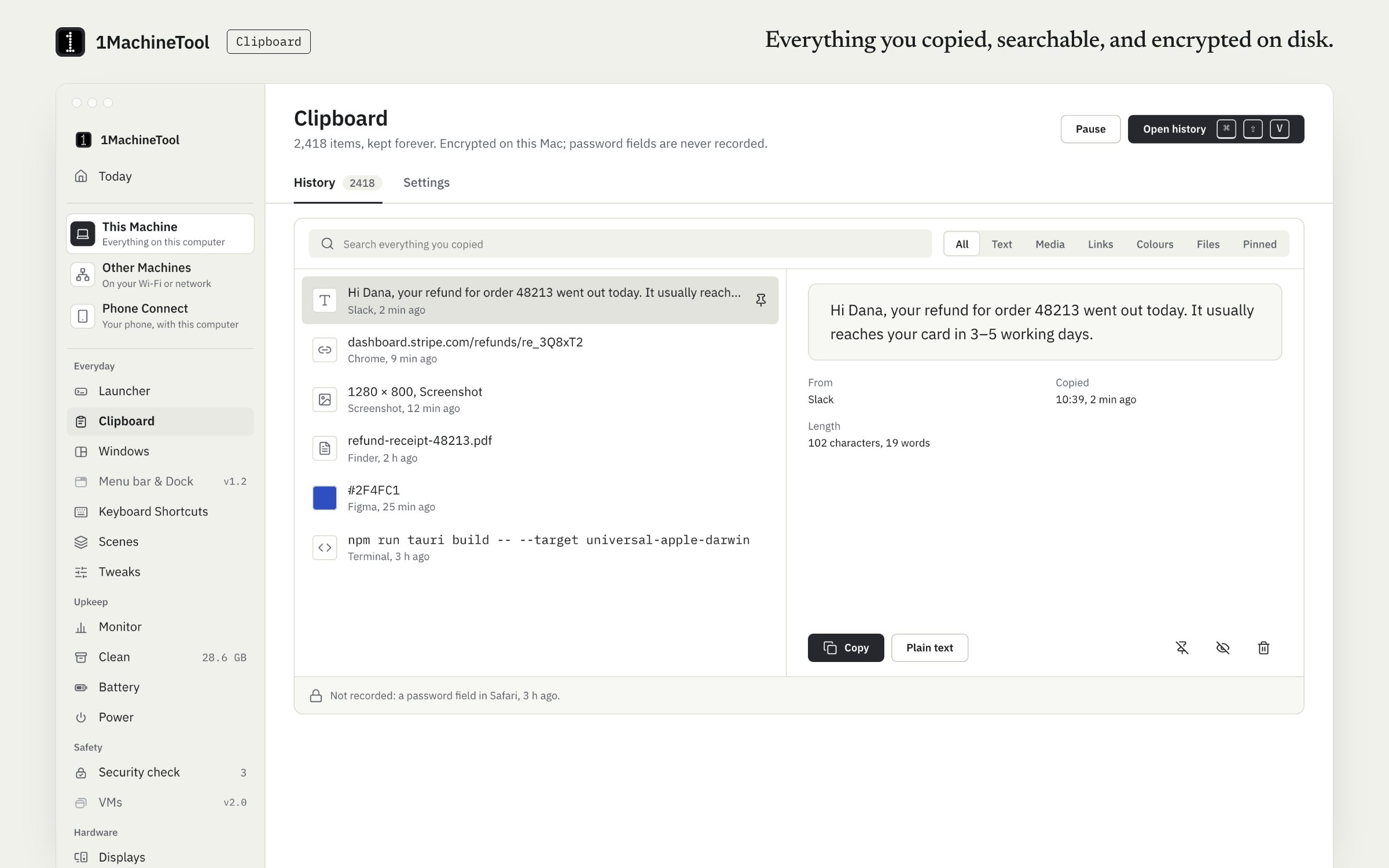
1MachineTool's clipboard history
Text, rich text, images, files, links and colours, searchable from the launcher and encrypted on disk.
Best whenBest when you want the history in the same app as your launcher and window snapping.
See what macOS itself keeps.
Look at the clipboard now
Click the desktop so Finder is in front, then choose Edit › Show Clipboard. A small window shows the one item the clipboard holds.
Open Spotlight's history
On macOS 26 or later, press ⌘Space, then ⌘4 for Spotlight's clipboard view, and allow it if it asks. Select an item and press ⌘C to copy it again, then paste it where you need it.
Print it in Terminal
This prints the text on the clipboard, which helps when you want to check exactly what an app copied.
pbpasteKeep more from now on
Install a clipboard manager. No tool can bring back what you copied before it was running, because macOS never stored it.
The same job in 1MachineTool.
Clipboard keeps everything you copy and makes it searchable from the launcher: text, rich text, images, files, links and colours. The history is encrypted on disk with AES-256-GCM, and it stays on this computer.
- Open the history from the launcher, or with ⌘⇧V.
- Secure input fields are never recorded, and you can add apps to ignore.
- The tray panel shows recent clips, and each row copies or pastes back in place.
- In a terminal, 1machine clip copy with an item's id puts an older item back on the clipboard.
Free records 100 new items a day; after that, copy and paste still work and the history picks up again tomorrow. Pro has no daily limit.
In the launcher
clipboard
In the terminal
1machine clip list --query "invoice"1MachineTool 1.7.0
On Windows and Linux.
Windows has a history of its own: press Windows+V and turn it on. On Linux, KDE Plasma includes Klipper and GNOME has none built in. 1MachineTool keeps the history on Linux too; on GNOME's Wayland session it can't paste into another app for you, so you paste yourself.
Questions.
Can I get back something I copied yesterday?
Only if a clipboard history was already running. macOS itself replaces the clipboard each time you copy, so a manager installed today starts from today.
Do clipboard managers record my passwords?
Password managers mark what they copy as private, and careful clipboard managers skip those items. 1MachineTool never records secure input fields, and it leaves out any app you tell it to ignore.
Does the Mac's clipboard sync to my iPhone?
Universal Clipboard passes the current item between your Apple devices for a short time. It is one item, not a history.
Is clipboard history free in 1MachineTool?
Yes, up to 100 new items a day. Pro removes the daily limit and is $29 once for one computer.