Phone Connect · Other machines
Your computers on your phone: screens, clipboard, files and chat.
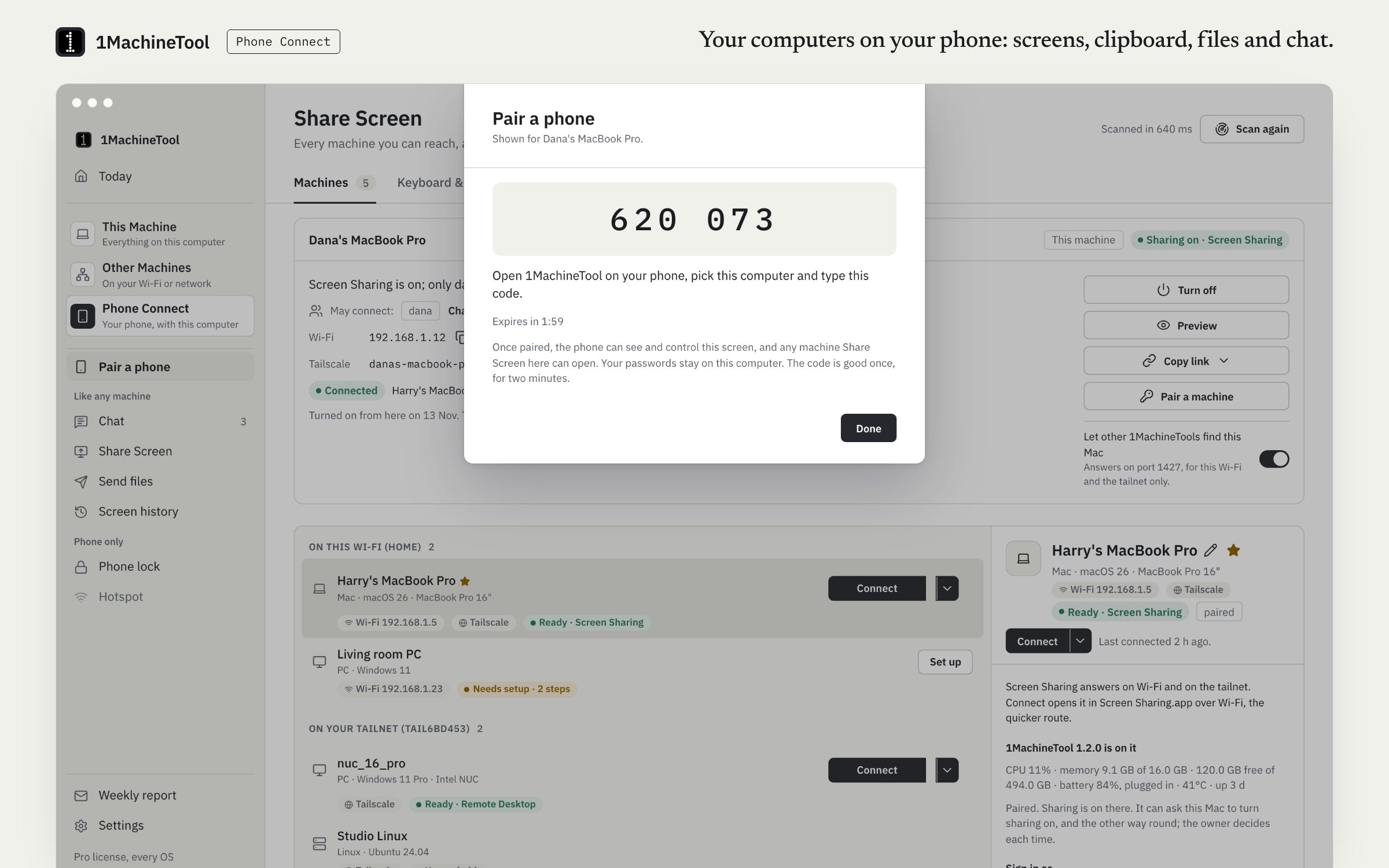
Phone Connect pairs a phone with this computer by a six-digit code. The phone can then open this computer's screen and the others it sees, trade the clipboard and files, and chat with it, sealed end to end with no account.
The iPhone and Android apps are in App Store and Google Play review as of November 2026.
Checked against 1MachineTool 1.7.0, 18 November 2026

What it does.
- Pair with a six-digit code
- Share Screen › Pair a phone shows a code for two minutes. In the phone app, tap Add a computer, pick the computer or type its address, and enter the code.
- Screens on your phone
- The phone lists the machines this computer sees and opens any of them, or this computer itself. 1MachineTool logs in, keeps the passwords and streams the screen to the phone.
- Clipboard both ways
- Send the phone's clipboard text to the computer, or take the computer's.
- Files both ways
- Files from a phone land in Downloads/1MachineTool. Phone Connect › Phone files sends a file to a phone and lists what phones sent. Every clip and file is a notification.
- Chat with your phone
- Sealed messages, read ticks and files, like chat with any machine. A phone checks in for its messages, so they wait on the computer until it does.
- Phone lock
- Pro, on a Mac. Lock the screen when a paired iPhone's or Apple Watch's Bluetooth signal walks away.
How you use it.
- On the computer, open Share Screen and choose Pair a phone.
- In the phone app, tap Add a computer and pick this computer, or type its address.
- Enter the six-digit code within two minutes.
- Open a screen, send the clipboard or a file, or start a chat.
From the terminal
1machine screen pair- Show a six-digit pairing code on this computer.
Free and Pro.
Free
Pairing, clipboard, files and chat with a phone, and screens within Free's limit of 2 Share Screen machines. The phone apps themselves are free.
Pro
No limit on screens, sending a phone's files on to linked machines, and Phone lock.
$29 once for one computer, $59 for three, $89 for fiveOn your computer.
- macOS
- Pairing, screens, clipboard, files, chat and Phone lock. Phone lock needs a paired, connected iPhone or Apple Watch.
- Windows
- Windows is an early build. In testing a paired phone opened a Windows 11 PC's screen through 1MachineTool's own host; the Phone Connect page says what else works there today.
- Linux
- The Phone Connect page in the app says what works on your session today.
What it doesn’t do.
- The phone and the computer have to be on the same Wi-Fi, or both on your Tailscale network. No StoicSoft server sits in between.
- On an iPhone, 1MachineTool needs Local Network permission to find your computers.
- Only plain text crosses the clipboard. Anything else goes as a file.
- Chat with a phone needs 1MachineTool 1.7 or later on the computer.
Questions.
Does the phone app need an account?
No. The phone talks only to the computers you pair with it, directly, on your Wi-Fi or your Tailscale network. Nothing passes through StoicSoft.
Can I reach my computer from my phone when I am out?
Over Tailscale: put the phone and the computer on your Tailscale network and type the computer's MagicDNS name or 100.x address when you add it.
Where do files from my phone go?
Into Downloads/1MachineTool on the computer. Files the phone receives are in the Files app under On My iPhone › 1MachineTool, or in Downloads/1MachineTool on Android.
What does the phone app collect?
Nothing. It has no analytics, no advertising identifier, no crash reporter and no tracking. Screens, keys, clipboard text, files and messages go only between your phone and the paired computer, encrypted.