Chat · Other machines
Messages and files between the computers on your network, with no account.
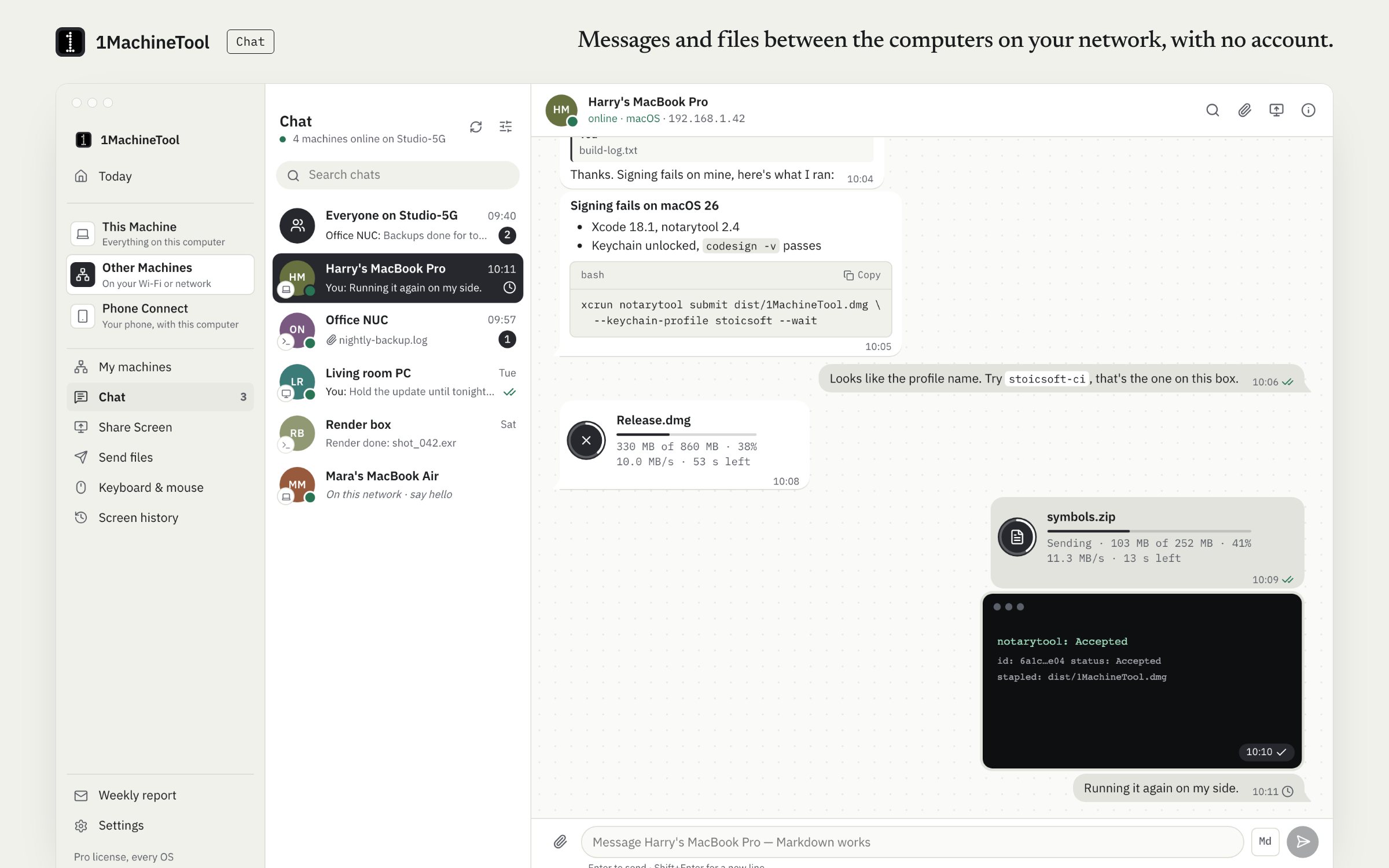
Chat lists every computer on your Wi-Fi or Tailscale network that runs 1MachineTool, plus a room for all of them. Messages and files go straight from one machine to the other, sealed so only those two can read them. There is no account and no server.
Checked against 1MachineTool 1.7.0, 18 November 2026
What it does.
- Machines and a room
- One chat per computer on your network, and a room that reaches all of them at once.
- Markdown, with a preview
- Code blocks with a Copy button, tables, checklists, quotes and links. Md opens Write and Preview before you send.
- Files of any size
- Drop, paste or attach, with a caption. Images up to 10 MB show by themselves; other files download when you click, into Downloads/1MachineTool. Both sides see the progress, the speed and the time left.
- Ticks, replies and waiting
- One check when a message reaches the other machine, two when it is read. A message to a machine that is asleep waits and goes when it is back.
- You choose who can message you
- Anyone on this network, or only the machines you have paired.
- Sealed between two machines
- Each message and file is encrypted with AES-256-GCM under a key only the two machines hold. A machine's key is saved the first time you chat, and the chat warns you if it ever changes.
- Terminal and AI tools
- `1machine chat` lists, reads, sends and downloads. AI tools get Chat through `1machine mcp`, and ask before sending.
How you use it.
- Open Other Machines › Chat.
- Pick a machine, or the room for everyone on the network.
- Type and press Enter. Shift+Enter starts a new line.
- Drop a file on the chat to send it.
- If the scan cannot see a machine, add it by its address from the list's menu.
From the terminal
1machine chat list- Every chat: the room, machines talked to, machines on the network.
1machine chat send <machine> "text" --file notes.md- Send text and files, and wait until the machine has them.
1machine chat get <machine>- Download the files a machine offered.
1machine chat add 192.168.1.42- Start a chat with a machine the scan cannot see.
1machine chat listen- Run Chat in the terminal, with no app, and print what arrives.
Free and Pro.
Free
Included on Free and Pro.
On your computer.
- macOS
- Other Machines › Chat, with a notification for each message that arrives while the chat is not on screen.
- Windows
- Chat is not tied to an OS: a Windows PC that runs 1MachineTool appears in the list like any other machine.
- Linux
- The same, and `1machine chat listen` runs Chat on a machine without the app.
What it doesn’t do.
- Both computers need 1MachineTool and have to be on the same Wi-Fi or the same Tailscale network.
- The room reaches only the machines that are online, and has no read receipts.
- A message to a machine that stays unreachable fails after a day.
Questions.
Does Chat need an account or a server?
No. A machine is its id and its keys. Messages and files go straight from one computer to the other on your Wi-Fi or Tailscale network.
Is it encrypted?
Yes. Every message and file is sealed with AES-256-GCM under a key only the two machines share, and each request is signed. If a machine's key changes, its messages are refused until you trust the new key.
How do I send a large file from a Mac to a Windows PC?
Install 1MachineTool on both, open Chat, pick the PC and drop the file on the chat. Both sides show progress, speed and time left, and the file lands in Downloads/1MachineTool.
What happens if the other computer is asleep?
The message waits and is sent when the machine is back. If it stays unreachable for a day, the message fails and offers Try again.