CLI and MCP · For the terminal and AI tools
Every module from the terminal, and from your AI agent.
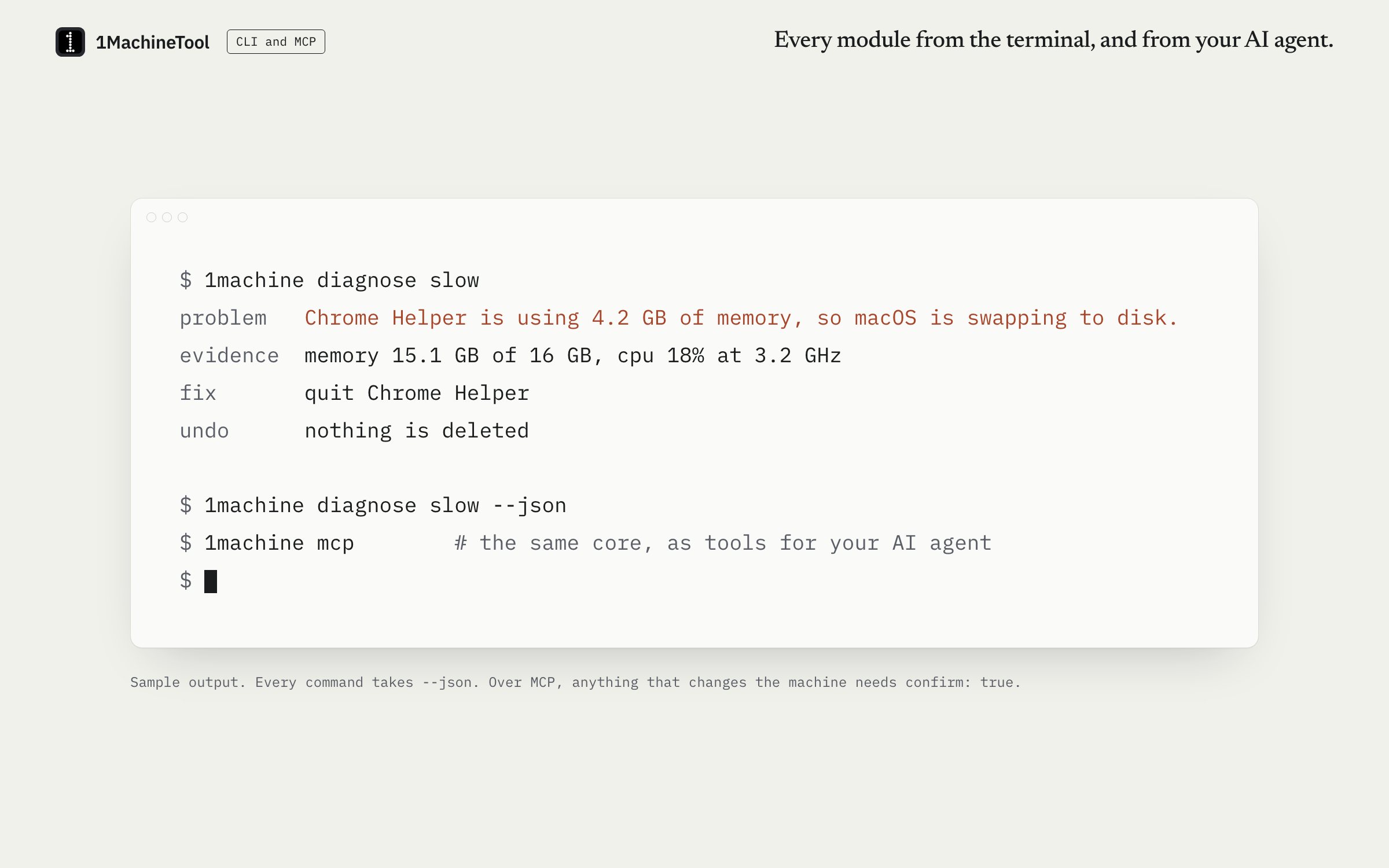
The `1machine` command comes with the app on macOS, Windows and Linux and runs on the same core as the window: status, diagnosis, cleaning, VMs, Share Screen, Devices, Chat and more, with `--json` on every command. `1machine mcp` serves the same core to an AI agent, and anything that changes the machine needs `confirm: true`.
Checked against 1MachineTool 1.7.0, 18 November 2026
What it does.
- One core, three ways in
- The window, the CLI and MCP all call the same methods, so a number in the terminal is the number in the app.
- JSON on every command
- Add `--json` and pipe the result into a script.
- An MCP server for your agent
- `1machine mcp` speaks the Model Context Protocol over stdio and offers more than 50 tools, from machine status to cleaning, scenes, VMs and Chat.
- Changes need a yes
- Read-only tools are marked as such. Every tool that changes the machine refuses to run without `confirm: true`.
- Diagnosis without AI
- `1machine diagnose` answers slow, hot, battery, disk, sleep, wifi and woke from rules on this machine. No AI is involved.
- Machines without a desktop
- `1machine devices serve` and `1machine chat listen` run those services in the terminal, with no app window.
How you use it.
- Install 1MachineTool. The `1machine` command comes with it.
- Run `1machine status` to see how the machine is doing.
- Add `--json` when a script should read the answer.
- For an AI agent, add an MCP server whose command is `1machine mcp`.
From the terminal
1machine status- How the machine is doing right now.
1machine diagnose slow- Ask why: slow, hot, battery, disk, sleep, wifi or woke.
1machine hogs --by memory- Which apps are using the most CPU, memory, energy or network.
1machine awake 2h- Keep the machine awake while the command runs.
1machine mcp- Serve the core to an AI agent over stdio.
Free and Pro.
Free
Everything Free does in the app, within the same daily limits. The CLI and MCP meet the same gates as the window.
Pro
Everything Pro does, from the terminal: for example `1machine sync`, `1machine dns --set` and `1machine report --email`.
$29 once for one computer, $59 for three, $89 for fiveOn your computer.
- macOS
- Every command. Operations that need the privileged helper report that until it is installed.
- Windows
- The CLI comes with the Windows build. Windows is an early build, and each command says what is not available there yet.
- Linux
- The CLI ships in the .deb and with the AppImage, and adopts your desktop session when you run it over ssh.
What it doesn’t do.
- The MCP server runs over stdio on the machine it controls. It is not a network service.
- On a Mac, the charge limit, lid-closed mode and scheduled Low Power Mode need the privileged helper, from the terminal as in the app.
- An agent gets the facts and the tools. It still needs your yes, as `confirm: true`, for every change.
Questions.
Does 1MachineTool have an MCP server?
Yes. `1machine mcp` serves more than 50 tools over stdio: status, diagnosis, cleaning, battery, network, VMs, scenes, Devices, Chat and more. Add it to your AI tool as an MCP server with that command.
Can an AI agent delete my files through it?
No tool deletes outright. Cleaning moves items to quarantine, where they can be restored for 30 days, and it refuses to run unless the call carries `confirm: true`.
Does the diagnosis send anything to an AI?
No. `1machine diagnose` and the MCP `diagnose` tool answer from rules on your machine. Bring-your-own AI in the app is separate and off by default.
How do I get JSON out of it?
Add `--json` to any `1machine` command, for example `1machine status --json`.