Share Screen · Other machines
See and control your other computers' screens, on your Wi-Fi or over Tailscale.
Share Screen lists every Mac and PC on your Wi-Fi or your Tailscale network, says whether each one can show its screen, and opens it with one Connect button. Pro opens it in 1MachineTool's own viewer, and between two paired computers through 1MachineTool's own host. There is no account and no StoicSoft server in between.
Checked against 1MachineTool 1.7.0, 18 November 2026
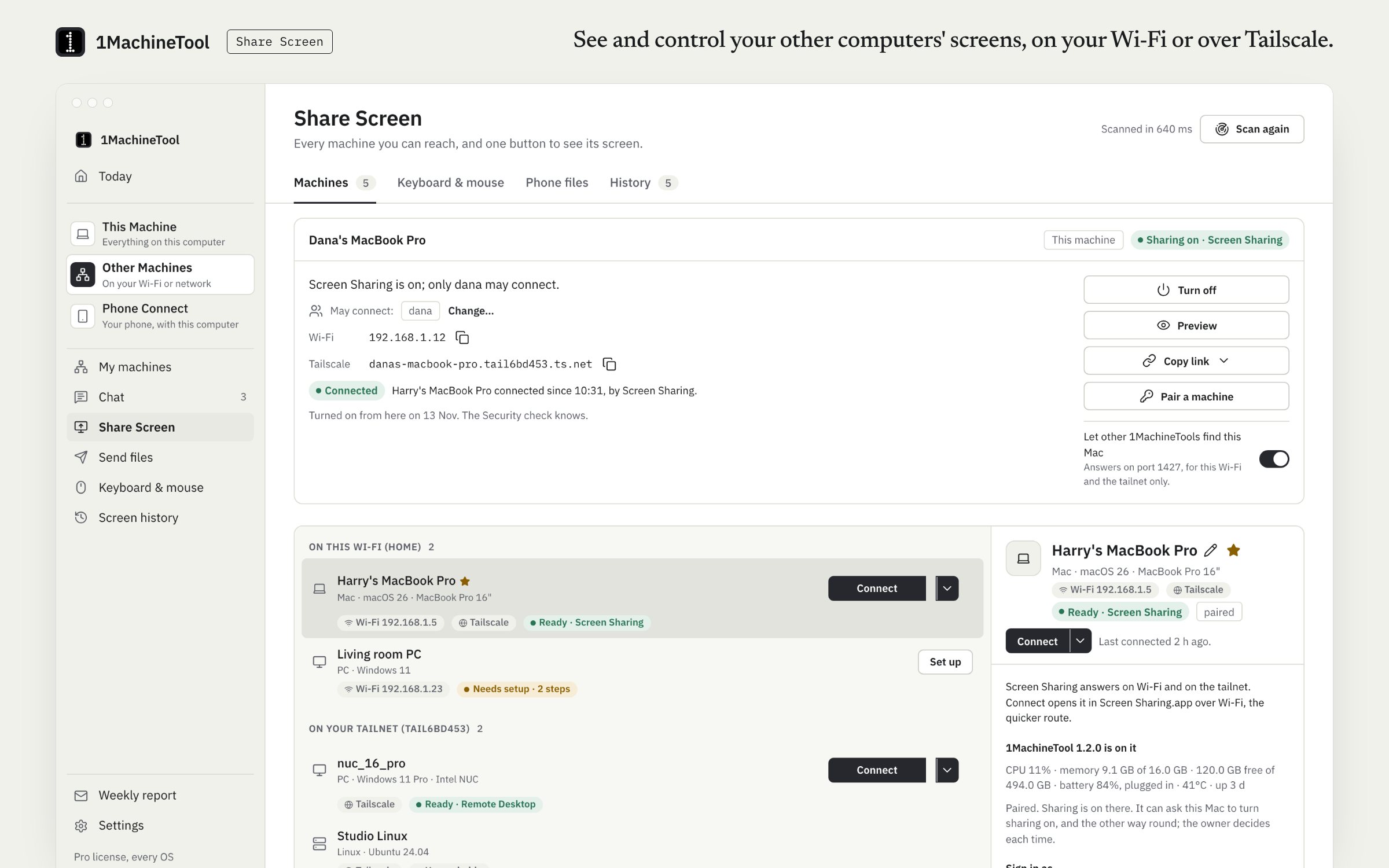
What it does.
- One list of your machines
- Every Mac and PC on the Wi-Fi and the tailnet, with whether its screen can be opened and the setup steps for the ones that can't.
- One Connect button
- It opens the screen in Screen Sharing, Windows App or Remote Desktop Connection, whichever your computer has for that machine. With Pro it opens in 1MachineTool's own viewer window.
- 1MachineTool's own host
- Pro. Between two paired computers that run 1MachineTool, Connect needs no Screen Sharing or Remote Desktop: Mac to Windows and Windows to Mac, with keys and pointer, Ctrl+Alt+Del or ⌘Q from the viewer's menu, and a view-only switch.
- This computer as a host
- Whether sharing is on, who may connect, the addresses other machines use and who is watching now. On a Mac, Preview shows your screen the way a viewer will see it.
- Pairing and consent
- Two 1MachineTools pair with a six-digit code. A paired machine can ask this one to turn sharing on, and whoever is at it answers Allow or Not now.
- A Mac with its lid closed
- A Mac with no display shares a 1920×1080 screen of its own, and stays awake while someone is watching.
- Passwords stay put
- Saved logins live in the keychain. The list of machines travels with Pro's setup sync; passwords never do.
How you use it.
- Open Other Machines › Share Screen. Your machines appear by themselves.
- If a machine is not ready, follow its setup steps: turn on Screen Sharing or Remote Desktop there, or install 1MachineTool on it.
- Click Connect.
- To use 1MachineTool's own host, pair the two computers first: one shows a six-digit code, the other types it.
From the terminal
1machine screen list- Every machine on the Wi-Fi and the tailnet, and whether each can show its screen.
1machine screen connect <name>- Open a machine's screen in the client this OS has.
1machine screen connect <name> --viewer- Open it in 1MachineTool's built-in viewer (Pro).
1machine screen pair- Show a six-digit pairing code here.
1machine screen stream on- Let paired 1MachineTools open this screen through its own host.
Free and Pro.
Free
Connect to 2 machines, in your system's own client.
Pro
No limit on machines, the built-in viewer window, and 1MachineTool's own host between paired computers.
$29 once for one computer, $59 for three, $89 for fiveOn your computer.
- macOS
- The list, setup steps, this Mac as a host, Connect through Screen Sharing or Windows App, the built-in viewer, the own host and Preview.
- Windows
- The list, Connect, the built-in Remote Desktop viewer and, since 1.7.0, 1MachineTool's own host between a paired Mac and PC in both directions.
- Linux
- The list, Connect and the built-in viewer. GNOME Remote Desktop needs the RDP Graphics Pipeline, which the built-in viewer does not speak yet, and the page says so.
What it doesn’t do.
- Both computers have to be on the same Wi-Fi or the same Tailscale network. There is no StoicSoft relay to reach a machine anywhere else.
- The built-in viewer cannot open GNOME Remote Desktop yet.
- On a Tailscale path that goes through Tailscale's shared relay the picture is slower. The route reads “Tailscale · relayed” and the viewer starts on lighter settings.
Questions.
Can I control a Windows PC from a Mac?
Yes. On Free, Connect opens the PC in Windows App over Remote Desktop. With Pro it opens inside 1MachineTool's viewer, and if both computers run 1MachineTool and are paired, through its own host with no Remote Desktop to turn on.
Does it work when I am away from home?
Over Tailscale, yes: put both machines on your Tailscale network and they appear in the same list. Without Tailscale, the two have to be on the same Wi-Fi.
Does Share Screen need an account?
No. Machines find each other on your network, pair with a six-digit code and talk directly. No StoicSoft account or server is involved.
Is Share Screen free?
Free connects to 2 machines through your system's own client. Pro removes the limit and adds the built-in viewer and 1MachineTool's own host.