Security check · Safety and hardware
A security checklist for your computer, with the fix or the exact command.
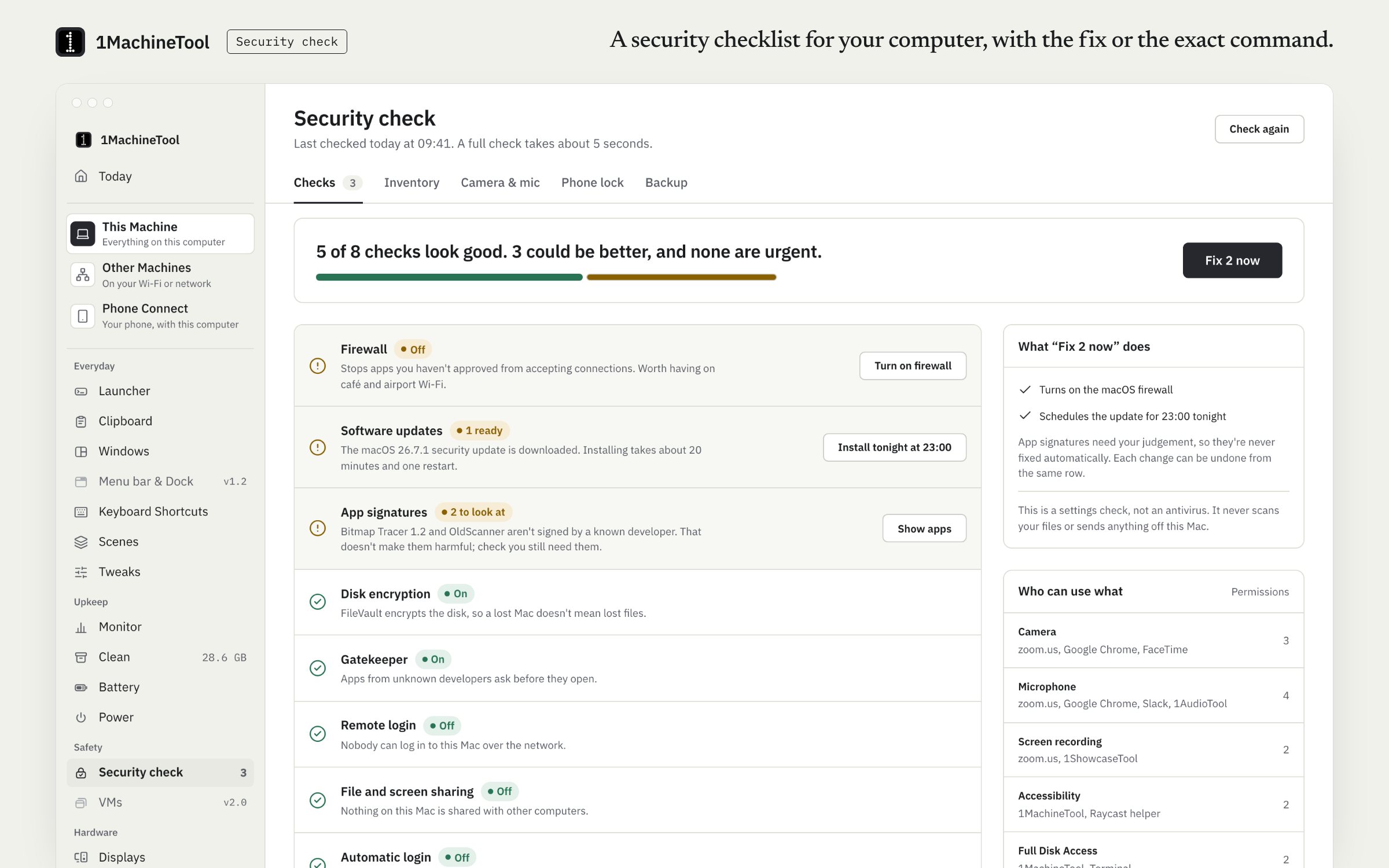
Security check runs a short list of checks on your computer: disk encryption, the firewall, system and app updates, remote login, sharing, auto-login and backups. Each one says what it found and what fixing it changes. It is a checklist, not antivirus.
Checked against 1MachineTool 1.7.0, 18 November 2026
What it does.
- Eleven checks on a Mac
- FileVault, the firewall, Gatekeeper, System Integrity Protection, remote login, sharing, auto-login, macOS updates, app updates, app signatures and backups.
- Thirteen checks on Linux
- Among them ufw or firewalld, LUKS, Secure Boot, AppArmor, SSH, sharing, auto-login, accounts, the screen lock and updates.
- Software inventory
- Every app, where it came from and whether an update is waiting, read from Sparkle feeds, Homebrew and the App Store.
- Camera and microphone log
- An indicator while the camera or microphone is in use, and a log of when they were.
- App inspector and permissions
- Look at one app before you trust it, and review which apps hold which permissions.
- Lock when your phone walks away
- Pro. A paired iPhone's or Apple Watch's Bluetooth signal, a threshold and a grace period; then the screen locks once.
How you use it.
- Open Security check in the sidebar, or run `1machine security` in a terminal.
- Read each check: one sentence on what it found and what fixing it would change.
- Fix a check from the page, or with `1machine security --fix` and the check's id.
- On Linux, where a fix needs root, copy the exact command the page shows and run it yourself.
From the terminal
1machine security- Run the checklist.
1machine security --fix <id>- Fix one check.
1machine apps --outdated- List only the apps with an update waiting.
Free and Pro.
Free
Every check, the inventory, the camera and microphone log and backup health. A security fix counts as one of Free's 3 fixes a day.
Pro
Unlimited fixes, and Lock when my phone walks away.
$29 once for one computer, $59 for three, $89 for fiveOn your computer.
- macOS
- 11 checks, the app inspector, the permissions audit, the software inventory, outdated apps, the camera and microphone log, backup health and the phone lock.
- Windows
- Windows is an early build. The Security check page in the app says what works there today.
- Linux
- 13 checks. Fixes run only where no root is needed; otherwise the page gives the exact command.
What it doesn’t do.
- It is not antivirus and does not scan for malware.
- The phone lock needs a paired, connected iPhone or Apple Watch.
- App Store apps are checked for updates by the App Store itself unless `mas` is installed.
Questions.
Is 1MachineTool an antivirus?
No. Security check is a checklist of settings such as disk encryption, the firewall and updates, plus an app inspector. It does not scan files for malware.
What does the security check look at on a Mac?
Eleven things: FileVault, the firewall, Gatekeeper, System Integrity Protection, remote login, sharing, auto-login, macOS updates, app updates, app signatures and backups.
Will it change my settings without asking?
No. Each check explains what it found and what the fix changes before anything happens. On Free, a security fix counts as one of three fixes a day.
Can it lock my Mac when I walk away?
Yes, with Pro. It watches the Bluetooth signal of a paired, connected iPhone or Apple Watch and locks the screen once the signal stays below the threshold you set.