Displays · Safety and hardware
Brightness, Night Shift and display presets on one page.
Displays puts the screen settings you change most on one page: brightness, presets, Night Shift, grayscale, True Tone, refresh rate and the arrangement of your monitors. It can also talk to external monitors over DDC to set their brightness, contrast, volume and input.
Checked against 1MachineTool 1.7.0, 18 November 2026
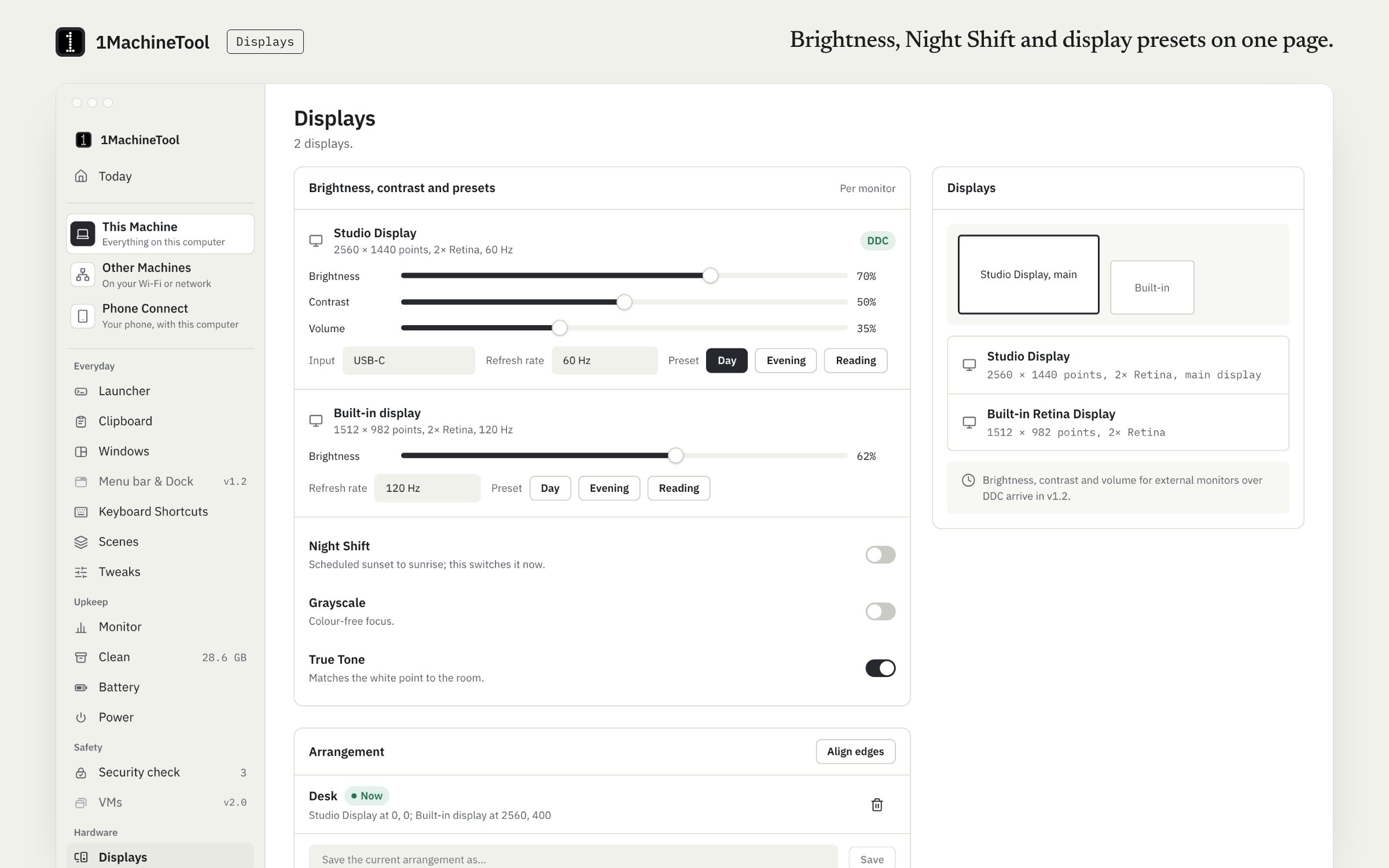
What it does.
- Brightness
- The built-in display's brightness, set from the page, a preset or the terminal.
- Presets
- Save a set of display settings and go back to it in one click.
- Night Shift, grayscale, True Tone
- Three switches in one place on a Mac. On Linux the page switches GNOME's Night Light.
- Refresh rate and arrangement
- Presets for refresh rate and for how your monitors sit side by side, plus align edges.
- External monitors over DDC
- Brightness, contrast, volume and input for monitors that accept DDC commands. On a Mac this is built but had not been run against a real external monitor when this page was checked.
How you use it.
- Open Displays in the sidebar.
- Set brightness, or pick a preset.
- Switch Night Shift, grayscale or True Tone.
- Save your monitor arrangement as a preset, so it is one click away the next time you dock.
From the terminal
1machine display status- Every display and its settings.
1machine display night on- Night Shift, or Night Light on Linux, on or off.
1machine display brightness <display-id> 60- Brightness from 0 to 100 for one display.
Free and Pro.
Free
Included on Free and Pro.
On your computer.
- macOS
- Built-in brightness, presets, Night Shift, grayscale, True Tone, refresh-rate and arrangement presets and align edges. DDC for external monitors is built, not yet exercised on real hardware.
- Windows
- Windows is an early build. The Displays page in the app says what works there today.
- Linux
- Brightness through logind, DDC through ddcutil, and Night Light on GNOME. Grayscale and True Tone are not offered.
What it doesn’t do.
- External-monitor control on a Mac is built but was not exercised on a real external monitor, so treat it as untested.
- A monitor has to support DDC/CI for its brightness, contrast, volume or input to be set from the computer.
- On Linux, DDC needs ddcutil installed, and Night Light is GNOME's.
Questions.
Can I change my external monitor's brightness from my Mac?
The Displays page can send DDC commands for brightness, contrast, volume and input to monitors that accept them. That path is built but had not been run against a real external monitor when this page was checked.
Is Displays free?
Yes. Nothing on the Displays page needs Pro.
Does it work on Linux?
Yes: brightness through logind, DDC through ddcutil and GNOME's Night Light. Grayscale and True Tone are Mac settings and are not offered on Linux.