Sound · Safety and hardware
Pick the speaker and the microphone, and set each app's volume.
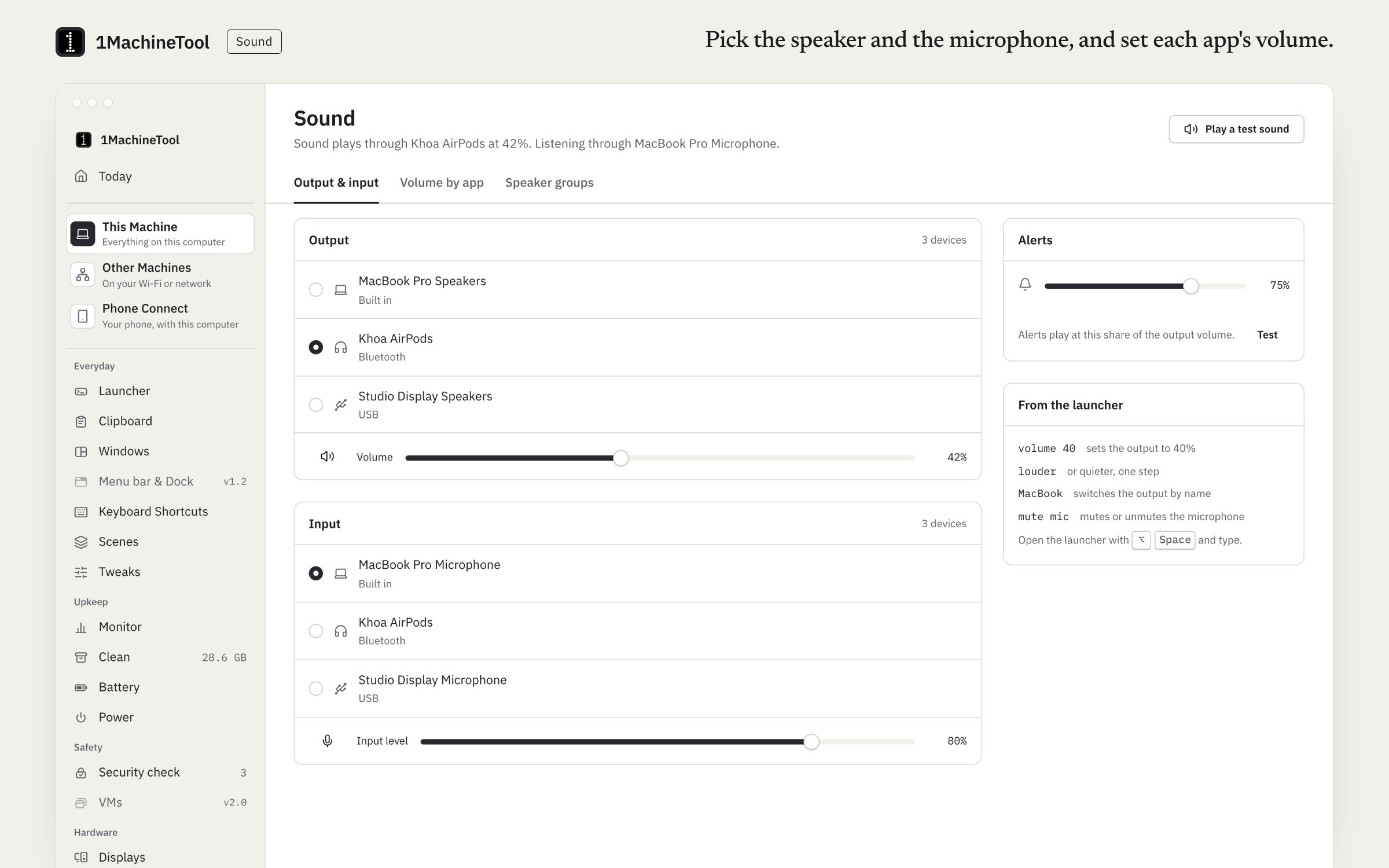
Sound lists every output and microphone, switches between them in one click, and sets or mutes each one's volume. It also sets the volume of individual apps. The same controls work from the launcher: type “volume 40”, “mute mic” or a speaker's name.
Checked against 1MachineTool 1.7.0, 18 November 2026
What it does.
- Outputs and microphones
- Pick the speaker and the microphone in one click.
- Volume and mute per device
- Each output's volume, each input's level, mute, and a quick mute for the microphone.
- Volume by app
- Turn one app down without touching the rest. On a Mac this needs macOS 14.2 or later.
- Speaker groups
- Combine several outputs into one group on a Mac.
- Alert volume and test sound
- Set the alert volume on a Mac, and play a test sound to hear which speaker is live.
- From the launcher
- Type “volume 40”, “louder”, “quieter” or “mute mic”, or a speaker's or microphone's name to switch to it.
How you use it.
- Open Sound in the sidebar.
- Pick the output and the microphone.
- Set a volume for the device, or for one app under volume by app.
- Next time, press the hotkey and type “volume 40” or the speaker's name.
Free and Pro.
Free
Included on Free and Pro.
On your computer.
- macOS
- Outputs, inputs, volume, mute, mic quick-mute, alert volume, a test sound, speaker groups and volume by app (macOS 14.2 or later).
- Windows
- Outputs and microphones, their volume and mute, the default device, volume by app and a test sound.
- Linux
- PipeWire outputs, inputs, levels and volume by app, with a PulseAudio fallback on X11 sessions, and a test sound.
What it doesn’t do.
- Volume by app needs macOS 14.2 or later. On older macOS the page says so and leaves it out.
- The alert volume and speaker groups are on a Mac only.
Questions.
How do I change the volume of one app on a Mac?
Open Sound and use volume by app: each app that is playing has its own level. It needs macOS 14.2 or later.
Can I switch audio output from the keyboard?
Yes. Press the hotkey (⌥Space on a Mac) and type the speaker's name to switch to it, or “volume 40”, “louder” or “mute mic”.
Does Sound work on Windows and Linux?
Yes. On Windows it covers outputs, microphones, the default device and volume by app. On Linux it works through PipeWire, with a PulseAudio fallback on X11.
Is Sound a Pro feature?
No. Everything on the Sound page is in Free.