Bluetooth · Safety and hardware
Connect, disconnect and check the battery of your Bluetooth devices.
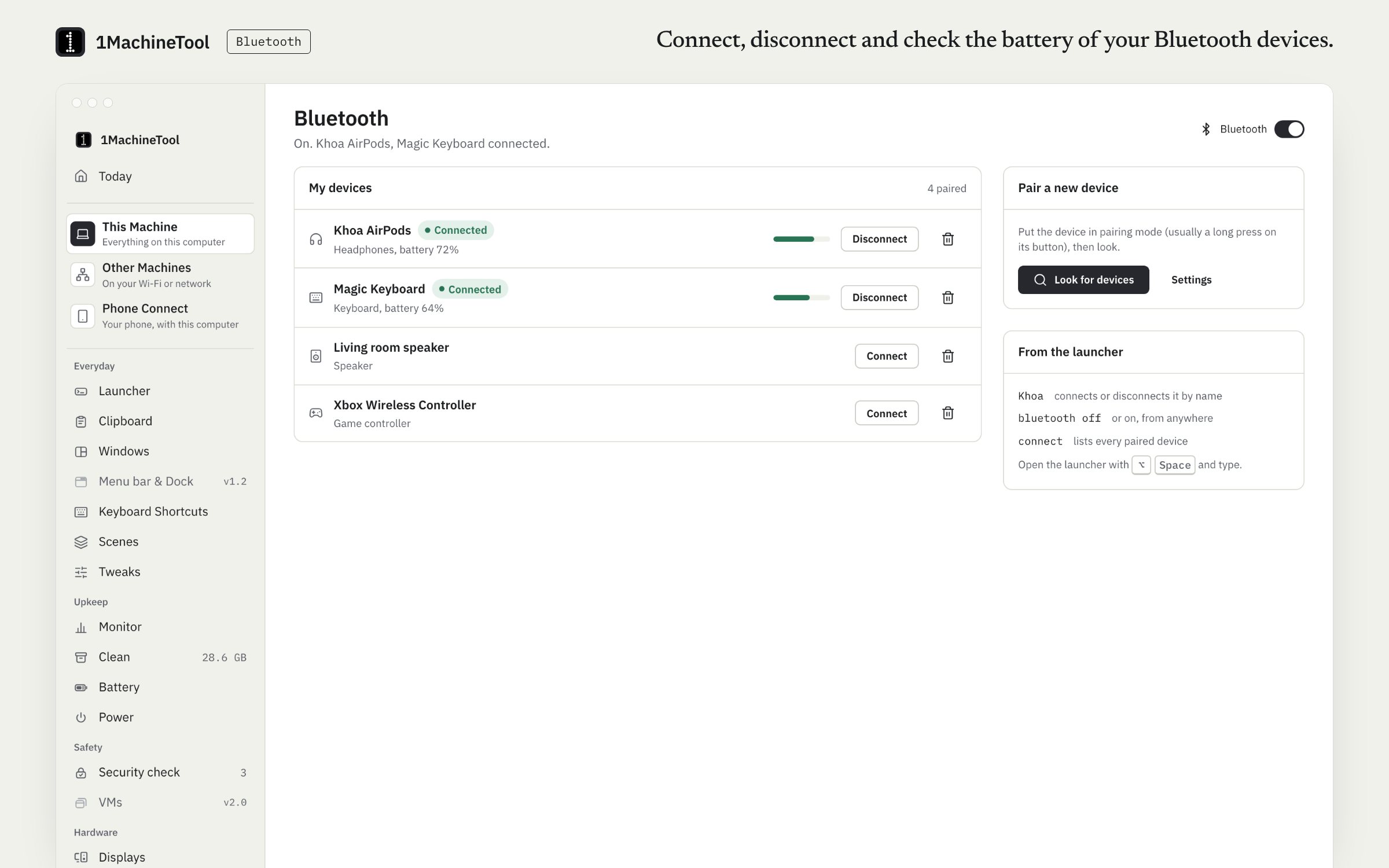
Bluetooth lists your paired devices with their battery, connects or disconnects one in a click, forgets the ones you no longer use and turns the radio on or off. From the launcher, type a device's name, such as “AirPods”, to connect or disconnect it.
Checked against 1MachineTool 1.7.0, 18 November 2026
What it does.
- Paired devices with battery
- Every paired device and, where it reports one, its battery level.
- Connect and disconnect
- One click on the page, or the device's name in the launcher.
- Forget a device
- Remove one you no longer use.
- Radio on or off
- Turning Bluetooth off warns first when a keyboard or mouse would go with it.
- Pair a new device
- On Linux and Windows, find devices in pairing mode and pair them from the page. On a Mac, pairing opens System Settings.
How you use it.
- Open Bluetooth in the sidebar.
- Click a paired device to connect or disconnect it.
- Or press the hotkey and type the device's name, or “bluetooth off”.
Free and Pro.
Free
Included on Free and Pro.
On your computer.
- macOS
- Radio on and off, paired devices with battery, connect, disconnect and forget. Pairing a new device opens System Settings, which shows the code a device may ask for.
- Windows
- Radio on and off, paired devices with battery, forgetting, and finding and pairing new ones. Connect and disconnect work for headphones and speakers only; Windows keeps keyboards and mice connected itself.
- Linux
- Power, connect, forget, and finding and pairing devices in pairing mode. Devices that want a code typed pair in Settings.
What it doesn’t do.
- On a Mac, a new device is paired in System Settings, not in 1MachineTool.
- On Windows, connect and disconnect exist for audio devices only.
- On Linux, a device that asks for a typed code has to be paired in Settings.
Questions.
How do I connect my AirPods from the keyboard?
Press the hotkey and type “AirPods”. The launcher row connects them, or disconnects them if they are already connected.
Can I see my Bluetooth devices' battery levels?
Yes. The Bluetooth page shows the battery of each paired device that reports one, on macOS and Windows.
Can I pair a new device from 1MachineTool?
On Linux and Windows, yes: the page finds devices in pairing mode. On a Mac it opens System Settings, which owns the passkey prompt.