Why is my Wi-Fi slow on my Mac?
Updated 18 November 2026
Short answer
It is either the link between your Mac and the router (a weak signal or a crowded channel) or the line from the router to the internet. Hold Option and click the Wi-Fi icon: an RSSI weaker than about -70 dBm means the signal is the problem.
The usual causes.
A weak signal
Distance and walls weaken Wi-Fi quickly, and a weak link falls back to slow, careful speeds.
How to tellRSSI in the Wi-Fi menu is -70 dBm or lower. Closer to zero is stronger, and below about -75 is weak.
A crowded or noisy channel
Neighbouring networks on the same channel take turns with yours, and the 2.4 GHz band also shares the air with Bluetooth and microwave ovens.
How to tellThe signal is fine but Tx Rate is low, and a scan shows many networks on your channel.
The provider's line is slow or congested
The router can be quick and the line behind it slow, most often at the busiest hours of the evening.
How to tellThe router answers a ping in a few milliseconds, but addresses on the internet answer slowly or drop packets.
Something else is using the line
A backup, a cloud sync, a system update or someone streaming can fill the connection, and everything else queues behind it.
How to tellIt is quick when you are alone on the network, and a speed test shows low responsiveness under load.
Slow DNS
Every new site starts with a lookup. When the lookup is slow, pages pause before they start and then load at full speed.
How to tellThe wait is at the start of each page, not during downloads.
A VPN or relay in the path
Sending traffic through another server adds distance and sometimes a queue.
How to tellIt is faster with the VPN or relay switched off.
Check it by hand.
Read the signal
Hold Option and click the Wi-Fi icon in the menu bar. Under your network, macOS shows RSSI (signal), Noise, Tx Rate and the channel.
Measure the line
Apple's own test reports upload and download capacity and responsiveness. Low responsiveness with good capacity means the line struggles when it is busy.
networkQualityTell Wi-Fi from the provider
The first line prints your router's address; put it in the second in place of the example. If the router answers slowly (more than about 30 ms) or drops packets, it is your Wi-Fi. If the router is quick and the internet address is slow, it is your provider.
route -n get default | grep gateway
ping -c 10 192.168.1.1
ping -c 10 1.1.1.1
Look at the neighbours
Hold Option, click the Wi-Fi icon and choose Open Wireless Diagnostics. Leave the assistant alone and choose Window › Scan: it lists nearby networks with their channels and suggests the best ones for yours.
Try the cheap fixes
Move closer to the router, join its 5 GHz or 6 GHz network if it offers one, and restart the router once.
The same job in 1MachineTool.
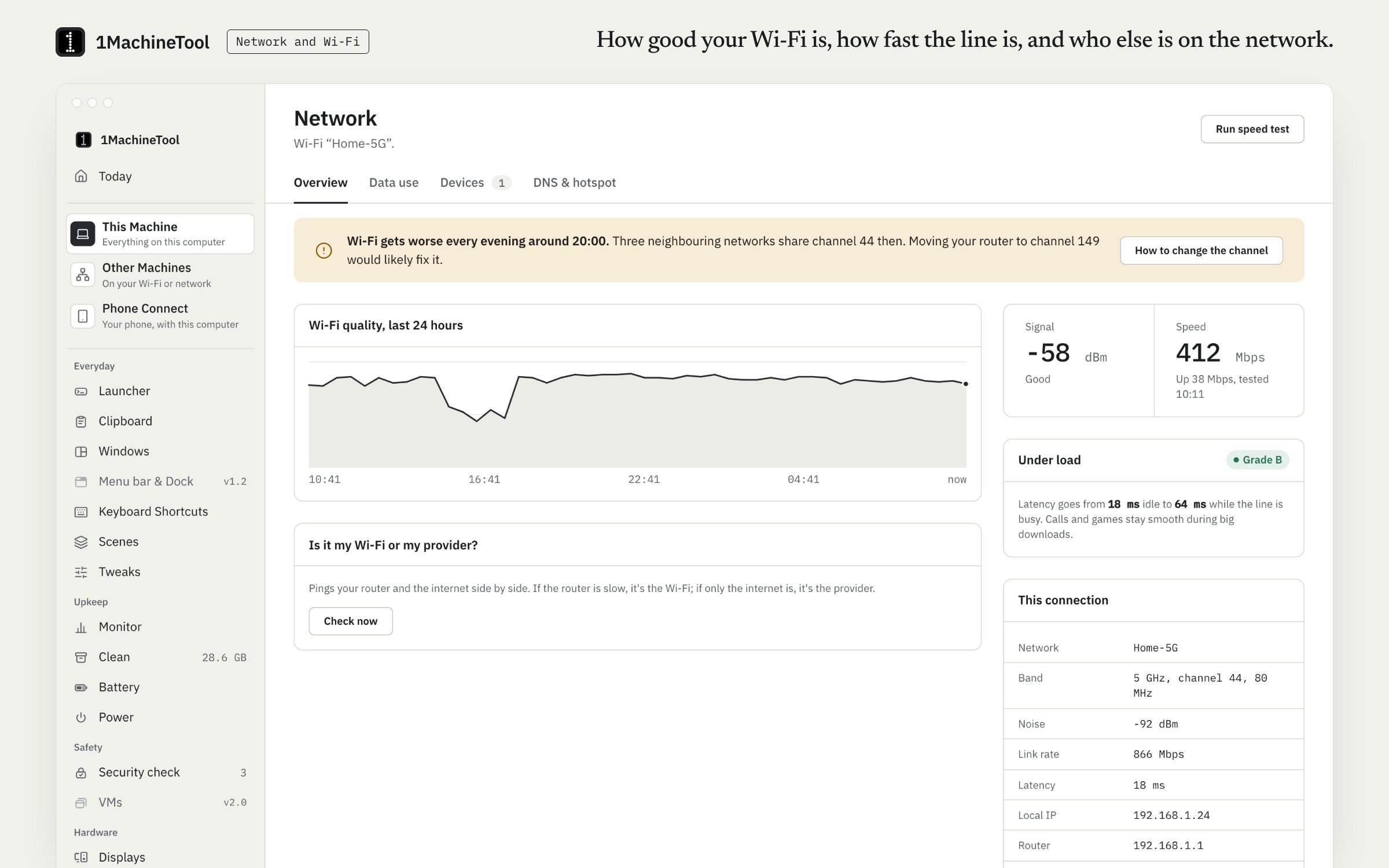
1MachineTool's Network module keeps a history of Wi-Fi quality and runs the Wi-Fi-or-provider test for you. To show the network's name, macOS asks you for Location permission.
- Flags a weak signal with the reading. An example finding: "The Wi-Fi signal is weak here (-78 dBm). Moving closer to the router, or a mesh point, would help most."
- Pings the router and the internet and says which one is slow, "It's your Wi-Fi" or "It's your provider", with the times.
- Runs a speed test that grades latency under load (bufferbloat) from A to F, and shows data use per app.
- Lists the devices on your network and can alert you when a new one joins.
Asking the question and every finding are free and never counted. Wi-Fi details, the speed test and the device list are free. Custom DNS is part of Pro ($29 once for one computer).
In the launcher
why is my wifi bad
In the terminal
1machine diagnose wifi1MachineTool 1.7.0
On Windows and Linux.
On Windows, netsh wlan show interfaces prints the signal as a percentage. On Linux, nmcli dev wifi lists networks with their signal. 1MachineTool's Network page works on Linux through NetworkManager, tested on Ubuntu with GNOME. The Windows build is early, and each page in the app says what works there today.
Questions.
How do I check Wi-Fi signal strength on a Mac?
Hold the Option key and click the Wi-Fi icon in the menu bar. RSSI is the signal: around -50 dBm is strong, -70 is usable and below about -75 is weak. Noise should be far lower than RSSI, around -90.
How do I know if it is my Wi-Fi or my internet provider?
Ping the router, then an address on the internet. A slow or lossy router means Wi-Fi. A quick router and a slow internet address mean the provider's line. Testing from a computer wired to the router confirms it.
Is 5 GHz faster than 2.4 GHz?
Usually, at short range. 5 GHz and 6 GHz carry more data and have more free channels. 2.4 GHz reaches further through walls but is slower and more crowded. Near the router, use the higher band.
What is a good responsiveness result in networkQuality?
Apple's tool rates responsiveness Low, Medium or High. High means the connection stays quick while it is busy, which matters for calls and games. Low with a good download speed points to a router or line that queues traffic badly.